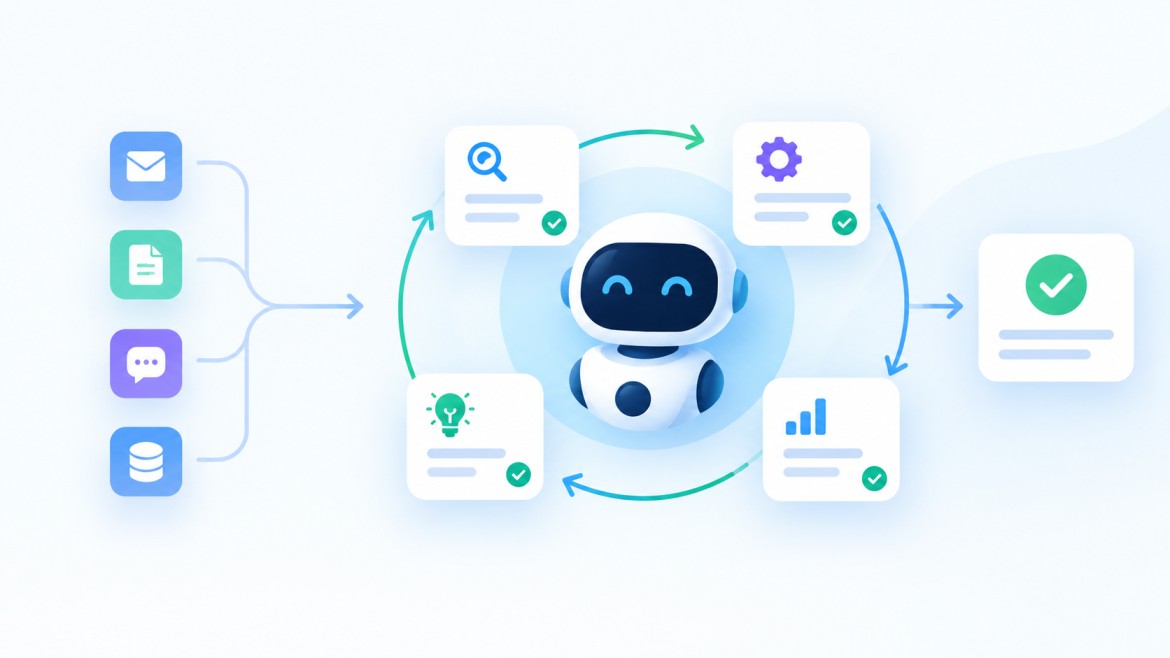
One founder I read about recently stopped hiring for his marketing team. Not because the company was struggling — because he’d configured a set of OpenClaw agents to handle competitor research, content drafting, SEO tracking, and social monitoring in parallel, all running overnight while he slept. The agents pinged him each morning with outputs ready for review. He called it “Mission Control.” His competitors assumed he had a team of six.
That’s the thing about OpenClaw use cases in business settings. The most compelling ones aren’t the technically flashy demos. They’re the quiet, persistent automations that show up before your workday starts and handle the things that would otherwise chip away at your afternoon.
This is a list of the ten use cases that are actually delivering results for businesses right now — not theoretical possibilities, but workflows people are running in production. Some require more setup than others. All of them are worth understanding.
- 1. Inbox Triage and the Daily Morning Briefing
- 2. Automated CRM Updates After Every Sales Call
- 3. Community and Customer Support Moderation
- 4. Brand Monitoring and Sentiment Tracking
- 5. Content Ideation and Repurposing Pipelines
- 6. Meeting Notes and Action Item Distribution
- 7. Competitor Intelligence on a Weekly Schedule
- 8. Pull Request Summaries and CI/CD Monitoring
- 9. Client Onboarding Workflow Automation
- 10. Running a Multi-Agent Business Operation
- A Word Before You Start
- Frequently Asked Questions
1. Inbox Triage and the Daily Morning Briefing
If there’s one workflow that converts skeptics into believers fastest, it’s this one. Email is where productive time goes to disappear. The average knowledge worker spends somewhere around 2.5 hours per day on email — most of it low-stakes, repetitive, or could have been a ten-word reply sent hours earlier.
OpenClaw connects to Gmail or Outlook, reads every unread message from the past 12 or 24 hours, categorizes them by urgency and type, drafts responses for the routine ones, flags anything that actually needs you, and sends the whole package as a briefing to your WhatsApp or Telegram before you’ve poured your first coffee.
The setup advice that consistently comes up in the community: start with a single label or folder, not your entire inbox. Run it on low-stakes messages first and check how it categorizes before you trust it with anything important. Give it two weeks to learn your patterns before relying on it heavily. The payoff is real — multiple users report this alone recovering 1-2 hours per day. That’s the one use case where I’d say almost any professional with a chaotic inbox should at least try it.
2. Automated CRM Updates After Every Sales Call
Sales teams have a data quality problem that nobody really wants to talk about. CRM notes after calls are whatever someone remembers to type in before their next meeting. Which means they’re incomplete, delayed, and inconsistently formatted. The pipeline data you’re making decisions from is only as good as the salesperson’s memory and willingness to do admin at the end of a long day.
OpenClaw changes this. After a call ends, the agent transcribes the recording, extracts action items, next steps, deal stage updates, and key discussion points, and logs all of it directly to Salesforce or HubSpot — tagged, formatted, and timestamped. No manual entry. No forgotten follow-ups. The CRM reflects what actually happened, not what someone got around to noting.
The survey data from TLDL’s community research is pretty clear: coding-related use cases have the highest satisfaction scores among OpenClaw users, but CRM automation sits near the top for business impact. The reason is obvious once you think about it — the data feeding your sales decisions gets dramatically cleaner almost overnight.
3. Community and Customer Support Moderation
If you manage a Discord server, Slack community, or forum with any real volume, you know the specific fatigue of answering “where are the docs?” for the forty-seventh time that week. It’s not that the question is hard. It’s just that it keeps arriving, and answering it manually every time is a quiet drain on whoever’s doing it.
OpenClaw handles this category well. You feed it your documentation, your FAQs, your pricing info, your refund policy — whatever the most common questions touch — and it drafts responses for each incoming query, either posting them directly for low-risk answers or routing anything judgment-heavy to a human for review. The key configuration detail is defining clear categories upfront: product questions, billing, technical support, and anything that requires a human in the loop. Then you’re not just automating responses, you’re building a tiered support workflow.
The frame shift that makes this work: you’re still in control. OpenClaw isn’t replacing your support team. It’s handling the repetitive volume so your team can focus on the conversations that actually require a person.
4. Brand Monitoring and Sentiment Tracking
Most businesses are either over-monitoring their brand mentions (checking every five minutes, getting drowned in noise) or under-monitoring (discovering a PR problem two days after it started spreading). Neither is a great place to be.
OpenClaw’s brand monitoring workflow runs on a schedule you define — hourly during a product launch, daily during normal operations. It searches X for mentions of your brand, product, or key personnel, filters out irrelevant noise, runs sentiment analysis, identifies influential accounts worth engaging, and surfaces anything that warrants a quick response. The output arrives as a structured report in your Slack or Telegram, not as a raw dump of every mention that existed.
The secondary value here is less obvious but worth mentioning: the same monitoring setup can track your competitors’ brand mentions with minor configuration changes. What people complain about publicly regarding your competitors is often more useful market research than anything you’d get from a formal analysis.
5. Content Ideation and Repurposing Pipelines
Content teams spend a surprisingly large portion of their time on logistics rather than writing: finding ideas, reformatting existing pieces for different channels, tracking what competitors are publishing, figuring out which angles are gaining traction. None of that is particularly creative work. It’s research and formatting — exactly the kind of task OpenClaw handles well.
The ideation workflow pulls from industry news, competitor publishing activity, community questions, and trending searches, then surfaces topic angles with context attached. “Write about the new API security standards announced yesterday — trending in your sector.” “Your competitor published a comparison of Tool A and Tool B yesterday and it performed well.” You wake up to a briefing with five to seven angles, each with enough context to decide whether it’s worth pursuing.
Repurposing runs in the other direction. Feed OpenClaw a finished piece and it generates platform-specific variations: an X thread with short hooks, a LinkedIn post with professional framing, a punchier Instagram caption, a TikTok script focused on quick takeaways. This isn’t about replacing writers. It’s about removing the reformatting overhead that fragments a writer’s time across channels without adding much creative value.
6. Meeting Notes and Action Item Distribution
This is one of the simpler use cases to set up, and community surveys consistently show it ranks near the top for “justified the whole setup on its own.” The meeting notes use case may be where OpenClaw has the widest appeal for non-technical users.
Transcription runs automatically. OpenClaw processes the recording, identifies action items, assigns them to the right people based on conversation context, and distributes them — either via email to participants or directly into your project management tool of choice. Jira, Linear, Todoist, Notion. The specific output depends on your configuration, but the flow is the same: meeting ends, notes and tasks appear in the right places, nobody has to manually transcribe or type up follow-ups.
The version of this that actually works well requires a small upfront investment: you need to tell the agent how you want action items formatted, who should receive what, and which tool is the destination. That hour of setup pays for itself within a week for most teams that have recurring standups or client calls.
7. Competitor Intelligence on a Weekly Schedule
Competitive research is one of those tasks everyone agrees is important and almost no one does consistently. It takes time, it’s diffuse — checking websites, product pages, pricing, press releases, blog output, social activity — and the cadence falls apart the moment the team gets busy with something else.
OpenClaw runs on a schedule. You define which competitors to monitor, which signals matter (product updates, pricing changes, new job listings, content publishing, social activity), and how you want the output formatted. Every Monday morning, a structured competitive intelligence report lands in your Slack. Pricing changes flagged. New feature announcements noted. Content gaps identified.
One power user documented tracking over 500 news and competitor sources this way, receiving a curated daily digest tailored to their specific priorities. That kind of monitoring would have required a full-time analyst before. Now it runs overnight on a Mac Mini in someone’s office.
8. Pull Request Summaries and CI/CD Monitoring
This one is squarely for development teams, but the productivity impact is significant enough that it belongs on any honest list of business use cases.
Developers spend a lot of time context-switching to check on things they could be notified about instead. Is the build passing? What changed in that PR that just came in? Did the staging deployment finish? These are quick answers, but the act of switching to GitHub Actions, opening a new tab, pulling up the dashboard — it adds up across a day in ways that compound fatigue.
OpenClaw watches your CI/CD pipeline (GitHub Actions, GitLab CI, Jenkins — your choice) and surfaces the things that actually require attention. A build failed: here’s the commit message and a link to the failed run. A PR came in: here’s a summary of what changed and which files were touched. A deployment to production completed. You configure the thresholds and it filters the rest.
The server monitoring side works the same way. Instead of manually SSH-ing into your production box to check disk usage or confirm a service is running, you send a message to your Telegram: “Check if nginx is running.” You get back a yes or no with status in seconds. From your phone, from the couch, from anywhere. The caveat — and this one is real — is that this configuration requires careful security setup. A poorly scoped agent with shell access is a genuine risk. Run it as a non-root user, maintain a command allowlist, log everything.
9. Client Onboarding Workflow Automation
Client onboarding has a lot of moving parts that don’t require much judgment but do require remembering to do them: sending welcome emails, creating accounts in the right systems, scheduling kickoff calls, setting up project folders, distributing contracts, adding contacts to your CRM. It’s the kind of workflow where things fall through the cracks not because anyone is negligent but because the checklist is long and the handoffs are manual.
OpenClaw handles this well because onboarding is typically a predictable sequence of steps triggered by a single event (new client signed). You configure the sequence once — which messages go out at which point, what gets created in which system, who gets notified internally — and the agent runs it consistently every time, without forgetting a step because someone was in back-to-back meetings.
The business impact tends to be visible quickly: clients notice when onboarding is smooth and consistent. They also notice when it isn’t. Automating the mechanical parts of the process doesn’t make it impersonal — it frees your team to focus on the parts that actually benefit from a human touch.
10. Running a Multi-Agent Business Operation
This is the one that reads like science fiction until you see it working. And it is working. Multiple founders and small business operators have documented deploying not a single OpenClaw agent but a coordinated team of them — each assigned a specific domain, all running under a single Gateway, communicating through a central Telegram chat.
One configuration that’s been shared publicly: a strategy agent, a development agent, a marketing agent, and a business operations agent. Each has its own tool permissions, its own context, its own scope. The founder issues high-level goals. The agents break them down, execute, and report back. SiteGPT founder Bhanu Teja P documented using this kind of multi-agent setup to handle his entire marketing workload — competitor monitoring, content research, SEO optimization, social posting — without building a marketing team at all.
Is this the right setup for every business? No. Absolutely not. The management overhead is real. Agents generate output faster than most people can review it, and a few early adopters reported burnout from trying to keep up with what their agents were producing. The key is designing workflows where agent output flows into clear decision points that don’t all land on one person’s desk simultaneously. Multi-agent orchestration is 2026’s frontier, and the tools for managing it properly are still catching up with the ambition.
A Word Before You Start
None of these use cases come without caveats, and I’d rather be upfront about them than have you hit a wall and feel misled.
OpenClaw’s own maintainers have been explicit: it’s not for users who aren’t comfortable with command-line setup. If you’re technical enough to install it and configure it safely, the productivity gains are real. If you’re not, the safer path is working with someone who is — either a developer on your team or an implementation partner who can set it up properly and hand it over configured.
The security requirements also matter. An agent with access to your email, CRM, and code repositories is a high-value target if it’s misconfigured. Use a secrets manager for credentials, scope API keys to minimum permissions, isolate it from your primary corporate machines, and review any ClawHub skill before you install it. These aren’t optional precautions. They’re what separates a useful productivity tool from a liability.
Start with one workflow. Get comfortable with how it behaves, how it uses context, and how to adjust when it does something unexpected. Then expand from there. The community on GitHub and Discord is large enough now that almost any question you run into has already been answered somewhere.
Ready to Build This Kind of Automation for Your Business?
Setting up OpenClaw properly — with the right security controls, workflow design, and integrations for your specific stack — takes expertise. At Voxtend, we help businesses implement AI agent workflows that are production-ready and actually reduce workload rather than create new ones to manage.
Whether you’re exploring what’s possible or ready to build, we’d like to hear about your situation.
Phone: (856) 631-6069
Email: info@voxtend.com
Address: 2121 Airport Freeway, Suite 390, Irving, Texas 75062
Frequently Asked Questions
What is OpenClaw used for in business?
Businesses use OpenClaw for email triage and morning briefings, automated CRM updates, customer support moderation, competitor and brand monitoring, content ideation, meeting note distribution, DevOps alerting, client onboarding workflows, and multi-agent operations. It connects to existing tools — Gmail, Slack, Salesforce, GitHub, HubSpot — and executes tasks autonomously through messaging apps you already use.
Can non-technical business owners use OpenClaw?
With some help, yes. Setup requires comfort with terminal commands and API configuration. Day-to-day usage once it’s running is conversational. Most non-technical users have better results working with a developer or implementation partner for the initial setup rather than going it alone.
How much time can OpenClaw actually save?
Depends entirely on which workflows you automate. Email triage alone is widely reported to recover 1-2 hours per day. CRM automation eliminates post-call data entry. Meeting note workflows eliminate transcription and follow-up distribution. Stack several of these and the hours add up quickly — but only if the configuration is clean and stable.
What CRM systems does OpenClaw integrate with?
Salesforce and HubSpot have documented community-built ClawHub skills. OpenClaw can transcribe sales calls, extract next steps and action items, and log them automatically. Always review skill code before installing — community skills vary in quality and security posture.
Is OpenClaw safe for business workflows?
With proper configuration, yes. Run it in isolation from primary corporate machines. Store credentials in a secrets manager. Scope API keys tightly. Audit ClawHub skills before use. Keep the software updated. These aren’t optional — they’re what separates a useful deployment from a risk.
What’s the best first OpenClaw use case for a business to start with?
The morning email briefing is the most common first workflow and for good reason: it’s self-contained, low-risk if you start with a limited scope, immediately useful, and gives you a feel for how the agent behaves before you give it write access to anything. Build from there.
- The highest-impact OpenClaw use cases aren’t the flashiest ones — they’re the persistent background automations that handle recurring tasks before your workday starts.
- Email triage, CRM updates, meeting notes, and brand monitoring are the four workflows with the widest documented adoption and the clearest ROI for most businesses.
- Multi-agent orchestration is real and working — but it requires thoughtful workflow design. Output can pile up faster than you can review it if you haven’t designed clear decision points.
- Security configuration is not optional. OpenClaw with access to email, CRM, and code repos is high-value if misconfigured. Isolated environments, scoped API keys, and secrets management are the minimum.
- Start with one use case. Master the behavior, adjust the configuration, then expand. The community at ClawHub and on GitHub has already solved most of the problems you’ll hit.

 More News