10 Daily Tasks Every Solo Attorney Delegates to Legal Virtual Assistants in 2026

10 Daily Tasks Every Solo Attorney Delegates to Legal Virtual Assistants in 2026

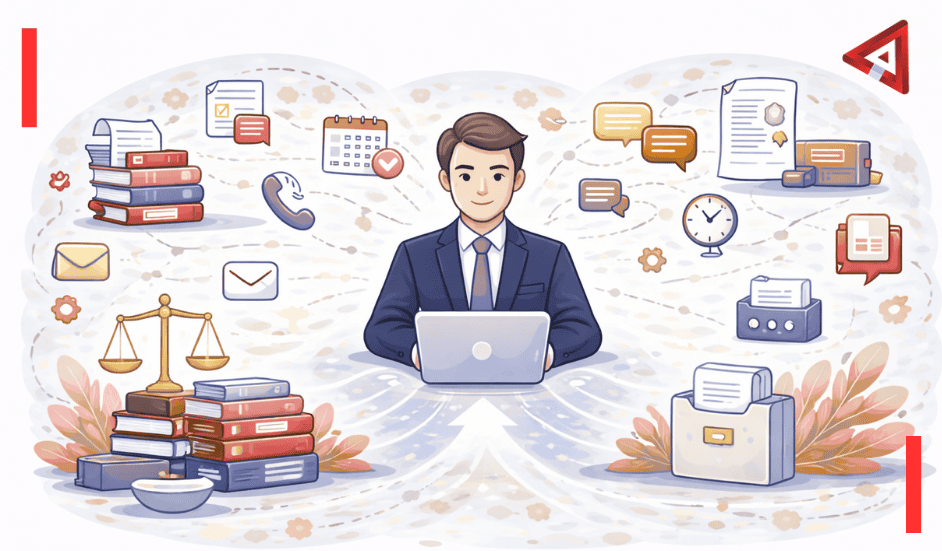
A solo attorney I know was working until 11pm most nights. Not on cases. On admin work. Returning calls, updating case files, sending invoices, scheduling depositions.


She finally hired a legal virtual assistant for ten hours a week. Within a month, she was leaving the office by 6pm most days. Her billable hours went up 30%. She actually took a weekend off.


The difference wasn’t working less. It was delegating the work that didn’t require a law degree.


1. Client Intake and Screening

New client calls are how solo practices grow, but they’re also massive time sinks. Someone calls while you’re in court. You call back during lunch. They’re unavailable. You play phone tag for three days before having a 10-minute conversation that could’ve happened on day one.


A legal virtual assistant can handle the initial screening. They answer calls, respond to contact forms, gather basic information, and check for conflicts using your case management system.


What this actually looks like

The VA uses your intake script to ask preliminary questions:


  • Nature of the legal issue
  • Timeline and urgency
  • Opposing parties (for conflict checks)
  • Budget expectations
  • How they found your firm


They log everything in your system, schedule a consultation if appropriate, and flag urgent matters. You review qualified leads when you have time, not whenever the phone happens to ring.


By 2026, this has become standard practice. Legal VAs familiar with platforms like Clio or MyCase can run conflict checks, send engagement letters, and even collect retainers before you’ve had the first conversation. The client feels taken care of. You get organized leads instead of scattered phone messages.


2. Calendar Management

Scheduling sounds simple until you’re trying to coordinate depositions across three attorneys, two clients, and a court reporter while also fitting in client meetings and filing deadlines.


Email threads about availability become productivity black holes. You send three options. They counter with two different days. Someone else jumps in with a conflict. Twenty emails later, you’ve wasted an hour to schedule one meeting.


How VAs handle this

Legal virtual assistants manage your calendar using tools like Calendly integrated with your case management software. They handle:


  • Scheduling client consultations and meetings
  • Coordinating depositions with all parties
  • Blocking time for court appearances
  • Setting reminders for filing deadlines
  • Rescheduling when conflicts arise


They know local court rules about scheduling. They understand how much buffer time you need between appointments. They can read your calendar well enough to know when you’re genuinely available versus when you’re technically free but shouldn’t take on more.


The time savings add up fast. Five hours a week on scheduling becomes 20 hours a month you can bill or use to actually practice law.


Not all legal research requires a lawyer. Finding relevant statutes, pulling case law, checking recent rulings, organizing regulatory updates, these tasks are time-consuming but don’t need years of legal training.


A trained legal VA can handle preliminary research using Westlaw, LexisNexis, Fastcase, or Google Scholar. They gather cases, statutes, and secondary sources, then organize everything for your review.


The division of labor

The VA does the gathering. You do the analysis. They find twenty potentially relevant cases. You read them and identify the three that actually matter. They pull the full text and shepardize citations. You determine how to apply them to your client’s situation.


This isn’t about replacing legal thinking. It’s about not spending billable time on the mechanical parts of research. For solo attorneys without junior associates, this kind of support transforms how efficiently you can build arguments.


4. Billing and Time Tracking

Here’s an uncomfortable truth: solo attorneys lose an estimated 25% of billable time because they don’t track or invoice it properly. You finish a long client call, jump into drafting a motion, and forget to log the time. Or you track it but don’t invoice for weeks.


Delayed billing is terrible for cash flow. But after a full day of client work, generating invoices feels like the last thing you want to do.


What VAs handle

Legal virtual assistants manage the entire billing workflow:


  • Reviewing and organizing time entries
  • Generating invoices through your billing software
  • Sending invoices and payment reminders
  • Tracking payments and updating accounts
  • Following up on overdue invoices
  • Reconciling trust accounts (with attorney oversight)


They use platforms like Bill4Time or TimeSolv to keep everything current. Invoices go out the same day time is entered. Reminders happen automatically. Collections improve because follow-up is consistent.


For solo practices running on tight margins, this alone can justify the cost of a VA. Getting paid faster and collecting more of what you’ve earned changes monthly cash flow substantially.


5. Email Management

A cluttered inbox isn’t just annoying. For solo attorneys, it’s dangerous. Miss one email about a filing deadline and you could face malpractice issues.


But when you’re getting 100+ emails a day, staying on top of everything while also practicing law becomes nearly impossible.


How VAs triage your inbox

Legal virtual assistants sort through your email daily, categorizing by urgency and type:


  • Urgent – Court notices, filing deadlines, time-sensitive client matters
  • Client communication – Questions, updates, scheduling requests
  • Routine – CLE announcements, marketing emails, newsletters
  • Actionable – Requests requiring your response


They draft responses to routine inquiries for your approval. They flag anything urgent. They file reference materials. They unsubscribe you from lists you never read.


Some use email management software to automate parts of this. But the judgment calls, what’s actually urgent versus what just seems urgent, that still comes from a person who understands your practice.


Solo attorneys report this is one of the highest-value delegations. Reclaiming even 30 minutes a day from email management adds up to over 120 hours a year.


6. Social Media and Online Presence

You know you should be posting on LinkedIn. Your Google Business profile probably needs updating. Client reviews should be acknowledged. But when?


Marketing falls to the bottom of the priority list because it’s never urgent. Until you realize you haven’t had a new client inquiry in three weeks.


What VAs manage

Legal virtual assistants handle the routine maintenance of your online presence:


  • Scheduling social media posts from content you approve
  • Updating your Google Business listing
  • Monitoring and responding to reviews
  • Posting case results (with client permission)
  • Sharing relevant legal updates or articles


You might record a quick voice memo about a recent case outcome. The VA turns it into a LinkedIn post. You approve it, they schedule it. Your online presence stays active even when you’re buried in trial prep.


This isn’t about becoming an influencer. It’s about not going invisible when you’re busy, which is exactly when you need new business pipeline most.


7. Case File Organization

A disorganized case file is a liability waiting to happen. You’re in a hearing and can’t find the exhibit you need. You’re drafting a brief and waste 20 minutes searching for a specific email.


File organization seems basic, but doing it consistently when you’re juggling multiple cases is hard.


How VAs maintain your files

Legal virtual assistants keep your case files current using platforms like Clio, PracticePanther, or even well-organized cloud storage:


  • Filing incoming documents immediately
  • Tagging and categorizing for easy search
  • Updating case notes after client calls
  • Creating summary timelines for complex cases
  • Preparing hearing binders or trial notebooks


Everything has a place. Documents are named consistently. You can find what you need in seconds, not minutes.


This pays off biggest when you’re handling volume. Ten active cases with good organization beats five cases with chaos. Billing is easier because time entries and supporting documents are linked. Handoffs to co-counsel or coverage attorneys are smoother.


8. Document Preparation

Not every document needs a lawyer to draft it from scratch. Client intake forms, engagement agreements, standard notices to opposing counsel, routine discovery requests, these can be prepared using your templates.


What VAs prepare

Legal virtual assistants handle first drafts of routine documents:


  • Client engagement letters
  • Retainer agreements
  • Standard discovery requests
  • Routine court filings using your templates
  • Correspondence to opposing counsel
  • Notice letters


They pull from your approved templates, insert client-specific information, format according to local court rules, and send it to you for review and signature.


You’re not delegating legal judgment. You’re delegating the mechanical work of filling in names, dates, and case numbers. But that mechanical work adds up to hours every week.


9. Client Follow-ups

Staying in touch with clients is essential but time-consuming. After court appearances, before deadlines, when documents are pending, clients need updates. But finding time for these check-ins when nothing urgent is happening gets hard.


Systematic communication

Legal VAs handle routine client communication using templates that match your voice:


  • Status updates on pending matters
  • Reminders about upcoming deadlines or court dates
  • Requests for documents or information
  • Acknowledgment of client emails or calls
  • Post-hearing summaries


Messages go out on schedule. Responses get logged. Anything requiring your attention is flagged immediately. Clients feel taken care of without you spending an hour a day on routine updates.


Consistent communication prevents the “I haven’t heard from my lawyer in three weeks” complaints that lead to bar complaints and bad reviews.


10. Transcription and Note-taking

After client meetings, witness interviews, or strategy sessions, someone needs to document what happened. Usually those notes end up rushed or incomplete because you’re moving to the next thing.


What VAs transcribe

Legal virtual assistants combine transcription software with human review for:


  • Client consultation notes
  • Witness interview summaries
  • Deposition reviews (identifying key testimony)
  • Strategy session action items
  • Court proceeding notes


They convert recordings to text, clean up the transcription, format it properly, and file it in the right case folder. They extract action items and create follow-up tasks.


This means critical information actually makes it into your files instead of living in your memory or on scattered sticky notes. When you’re working solo and swamped, having things documented properly is often what prevents balls from dropping.


The Real Impact

Here’s what solo attorneys miss about delegation: it’s not about working less. It’s about working on the right things.


Every hour spent on intake calls, calendar coordination, or email sorting is an hour you’re not spending on legal analysis, client counseling, or business development. Those are the activities that actually require your law degree and experience.


The attorneys thriving in solo practice aren’t the ones doing everything themselves. They’re the ones who figured out what only they can do and delegated everything else.


Legal virtual assistants have gotten better and more specialized. By 2026, they’re not just answering phones. They’re integrated into case management systems, trained on legal software, and familiar with practice area specifics.


The cost is typically 50-70% less than hiring in-house staff when you factor in salary, benefits, and overhead. You pay for productive hours, not idle time.


Start small. Delegate one or two of these tasks. See how it affects your week. Most solo attorneys who try it wonder why they waited so long.


If you’re ready to reclaim your time and focus on practicing law instead of managing administrative chaos, Voxtend’s legal virtual assistants are trained specifically for law practices. We understand attorney-client privilege, legal software, and the unique demands of solo practice. We’re not trying to sell you more hours than you need. We’re trying to help you work the way you want to work.


Frequently Asked Questions

What tasks can legal virtual assistants handle for solo attorneys?

Legal virtual assistants commonly handle client intake and screening, calendar management, legal research support, billing and time tracking, email management, document preparation, case file organization, client follow-ups, and transcription services. These tasks free solo attorneys to focus on legal work that requires their expertise.


Are legal virtual assistants cheaper than hiring in-house staff?

Yes, significantly. Legal VAs typically cost 50-70% less than hiring full-time in-house staff when you factor in salary, benefits, office space, and equipment. Solo attorneys only pay for hours worked, not idle time or overhead costs.


Can legal virtual assistants access my case management software?

Yes. Professional legal VAs are trained on platforms like Clio, MyCase, PracticePanther, and similar systems. They can securely access your software to manage calendars, update case files, track time, and handle billing through proper credential and permission management.


How do solo attorneys maintain client confidentiality with virtual assistants?

Through signed confidentiality agreements, secure communication channels, role-based access controls in software, and working with VA services that understand legal ethics requirements. Reputable legal VA services train their staff on attorney-client privilege and professional responsibility rules.


What’s the biggest time-saver when delegating to a legal VA?

Email and calendar management consistently rank as the biggest time-savers. Solo attorneys report reclaiming 5-10 hours per week just from delegating inbox sorting, scheduling, and routine correspondence. This time can be redirected to billable work or client development.


Are Virtual Assistants Being Replaced by AI? The Real 2026 Picture

Are Virtual Assistants Being Replaced by AI? The Real 2026 Picture

My inbox has three emails from VAs this week asking the same question in different ways: “Should I be worried about AI taking my job?”


Meanwhile, I’m also getting messages from business owners asking: “Can I just replace my VA with ChatGPT and save money?”


Both groups are asking the wrong question. The real story of what’s happening with virtual assistants and AI in 2026 is more nuanced than either fear or hype suggests. And it’s actually more interesting.


What Actually Happened (Not the Headlines)

Let me tell you about Sarah. She’s been a virtual assistant for eight years, primarily handling admin work for small business owners. Email management, calendar scheduling, basic customer support, data entry.


Two years ago, when ChatGPT launched, she panicked. Half her clients were asking if they still needed her. The VA forums were full of doom and gloom about AI replacement.


Here’s what actually happened: Sarah learned to use AI tools. Now she uses them to draft email responses, which she reviews and personalizes before sending. She uses them to transcribe meeting notes, then adds context and action items. She uses them to gather research, then applies judgment about what matters.


She’s handling three times more volume than before. Her rates went up because her output increased. None of her clients left. In fact, she’s at capacity and turning down new work.


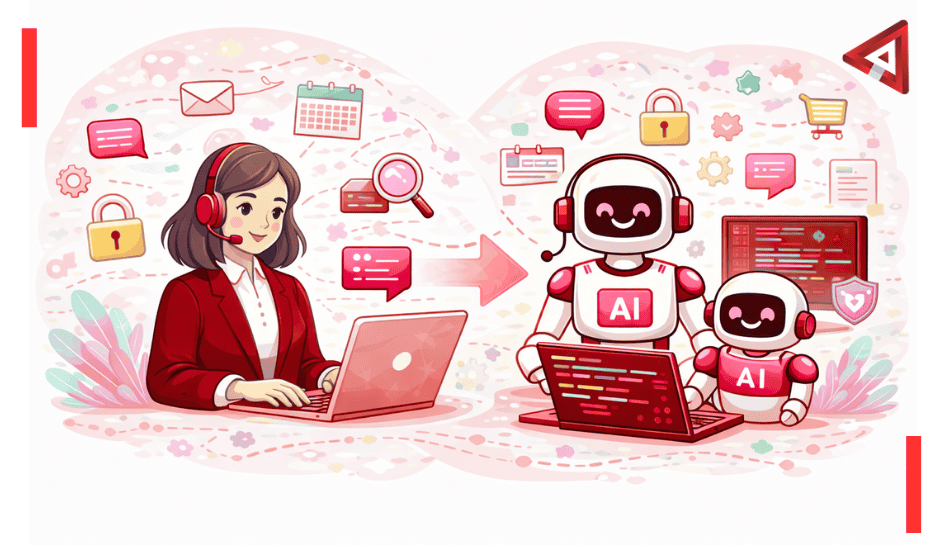
That’s the story the headlines miss. AI didn’t replace VAs. It changed what being a VA means.


What AI Turned Out to Be Good At

Let’s be specific about where AI actually delivers on the replacement hype, because it’s real in certain areas.


The grunt work

Data entry, basic formatting, copying information between systems. AI handles this stuff fast and accurately. Better than humans, honestly. There’s no reason for a person to spend hours moving data around when software can do it in seconds.


This was always the lowest-value part of VA work anyway. Nobody became a VA because they loved data entry.


Pattern matching at scale

Responding to the same question asked fifty different ways. AI is excellent at this. It can recognize that “What’s your refund policy?” and “Can I get my money back?” and “How do returns work?” are all asking the same thing.


For high-volume, low-complexity support, AI works well. Faster than humans. Available 24/7. No vacation days.


Initial drafts of routine stuff

Need a standard follow-up email? A meeting summary? A basic social media post? AI can generate a decent first draft quickly.


Notice I said first draft. The VAs who are thriving use these drafts as starting points, not finished products. They add personality, context, and judgment.


Research and information gathering

AI can pull information from multiple sources faster than any human. It can summarize long documents. It can find relevant data quickly.


But it can’t tell you what’s important versus what’s just there. It can’t apply your specific business context. It can gather; it can’t quite synthesize in the way experienced humans can.


Where Humans Still Win (And Why)

Now here’s where it gets interesting. There’s a whole category of work where AI either fails or does a mediocre enough job that you’re better off with a human.


Reading the room

A client emails saying “No rush on this.” Your VA knows from working with them that “no rush” from this particular client actually means “I need this by tomorrow but I’m being polite.”


AI reads “no rush” literally. It doesn’t pick up on the relationship context, the history, the unspoken urgency.


This matters more than people think. Business relationships are full of subtext.


Judgment calls about priorities

Your calendar says you have back-to-back meetings all day. Someone important emails asking for time. Do you move the 2pm meeting or the 4pm one? Which matters more this week given what’s happening in the business?


A good VA knows. They understand your business well enough to make smart calls. AI follows rules but doesn’t understand context that changes daily.


Managing actual relationships

Your vendor is late on a delivery again. You’re frustrated but you need to maintain the relationship because they’re one of three companies who can do what you need.


A human VA handles this with the right balance of firmness and diplomacy. AI generates either overly formal or inappropriately casual responses. It doesn’t navigate the political realities of business relationships.


Handling the weird stuff

Most work is routine. But every business has situations that don’t fit patterns. A customer with an unusual request. A crisis that needs creative problem-solving. An opportunity that requires quick thinking.


Humans adapt. They figure it out. AI tries to match new situations to patterns it’s seen before, and when it can’t, it either guesses poorly or tells you it can’t help.


Building trust over time

There’s value in having someone who knows your business deeply. Who remembers that thing from six months ago. Who understands how you think. Who anticipates what you’ll need before you ask.


This accumulated knowledge and relationship makes experienced VAs incredibly valuable. It’s not replicable with AI, at least not yet.


How VAs Are Actually Evolving

The virtual assistants who are doing well haven’t fought AI. They’ve integrated it into how they work. Here’s what that looks like in practice.


They became tool operators

The best VAs now use AI tools fluently. They know which tool works for which task. They know how to get good outputs. They know when AI will help and when it’ll just create more work.


This skill set is valuable. Clients don’t want to learn AI tools themselves. They want someone who can use those tools effectively on their behalf.


They moved upmarket

VAs who were doing mostly data entry and basic admin are either struggling or have evolved into roles that require more judgment. They’re doing project coordination. Client relationship management. Strategic planning support.


The work that requires understanding business context, making judgment calls, and managing relationships is where VAs have moved. And that work commands higher rates.


They became interpreters

There’s a role emerging where VAs act as intermediaries between business owners and AI tools. They know what the business needs, they get AI to do the heavy lifting, then they translate and refine the output into something actually useful.


This isn’t a temporary role. It’s a legitimate skillset that combines business understanding, tool proficiency, and human judgment.


They specialized

Generic admin VAs are having a harder time. VAs who specialize in industries or specific business functions are thriving. They bring domain knowledge that AI doesn’t have.


A VA who understands e-commerce operations, or legal practice management, or real estate transactions brings expertise that makes them valuable beyond just doing tasks.


What the Market Actually Looks Like

Let’s talk numbers and reality, not speculation.


Demand hasn’t crashed

The virtual assistant market didn’t collapse when AI got good. It shifted. Companies that might have hired junior VAs for basic tasks are using AI. Companies that need experienced support are still hiring VAs, often at higher rates than before.


The overall market for “getting stuff done remotely” is bigger than ever. It’s just split between AI tools and human VAs in different ways than it was three years ago.


The quality gap widened

Mediocre VAs are struggling. Excellent VAs are thriving. The middle ground is shrinking.


If your value proposition was “I can do basic admin tasks,” AI undercut you. If your value is “I understand your business and make your life easier,” you’re more valuable than before because there’s more complexity to manage.


Hybrid setups are common

A lot of businesses aren’t choosing between VAs and AI. They’re using both. AI handles volume. VAs handle complexity. AI works 24/7. VAs provide judgment during business hours.


This combination is becoming the default for companies that figured out both tools have roles to play.


Who’s Struggling and Who’s Thriving

The picture isn’t uniform. Let me break down who’s actually affected and how.


Struggling: Entry-level VAs doing commodity work

If you’re new to VA work and competing on price for basic data entry and scheduling, it’s tough. AI can do that cheaper and faster. The bottom end of the market is being automated.


This doesn’t mean there’s no entry point anymore. It means entry-level VAs need to offer something beyond just “I can follow instructions.” Maybe it’s industry knowledge, maybe it’s excellent communication, maybe it’s technical skills.


Struggling: VAs refusing to adapt

There are VAs who won’t touch AI tools. They see them as the enemy. They’re trying to compete on doing everything manually.


This is like taxi drivers refusing to acknowledge that Uber exists. You can have principles, but the market doesn’t care about your principles.


Thriving: VAs who combine human judgment with AI efficiency

These VAs use AI to handle routine stuff fast, which gives them capacity to take on more clients or tackle more complex work. They’re positioned as people who understand both tools and business.


They’re charging more than they did three years ago because they’re delivering more value.


Thriving: Specialist VAs with deep expertise

VAs who really understand a specific industry or function are doing great. They bring knowledge and context that AI doesn’t have. Their clients value them for expertise, not just task completion.


What This Means If You’re Hiring

If you’re trying to decide between hiring a VA or using AI tools, here’s my honest take.


If you have simple, repetitive work

AI tools are probably enough. If you need someone to categorize emails, transcribe meetings, or handle basic scheduling with clear rules, AI can do that fine.


You’ll save money compared to hiring a VA. But you’ll need to set it up, monitor it, and handle exceptions yourself.


If you need actual assistance

By which I mean someone who understands your business, makes judgment calls, manages relationships, and handles the messy reality of running a company, you need a human.


Look for VAs who are comfortable with AI tools. They’ll be more efficient. But hire them for their judgment, not their typing speed.


If you’re not sure

Start with AI for the obvious stuff. When you hit the limits of what AI can handle well, that’s when you know you need a human. Those limits will show up faster than you think.


Most businesses end up with both. AI handling the volume work. A VA handling the complex stuff and managing the AI outputs.


What to look for in a VA now

Don’t just ask if they can use AI tools. Ask how they use them. What tools do they prefer for which tasks? How do they decide when to use AI versus do something manually? How do they check AI outputs for errors?


The VAs who can articulate their AI workflow are the ones who’ve actually integrated it into their work thoughtfully.


The Actual Future (Not the Hype)

Here’s what I think is actually going to happen, based on what’s already happening.


Virtual assistants aren’t going away. The role is evolving into something that combines AI fluency with human judgment. The VAs who get this are adapting and thriving. The ones who don’t are finding it harder.


The companies that figure out how to use both AI and human VAs effectively have an advantage. They get the speed and cost benefits of automation plus the judgment and relationship management that humans provide.


What’s disappearing is the purely task-based VA work. What’s growing is strategic, relationship-focused, judgment-intensive support. That work is more valuable, commands higher rates, and requires experience that AI can’t replicate.


If you’re a VA worried about AI, stop competing with it. Learn to use it. Move into work that requires the things humans are actually good at. Specialize in something. Build deep client relationships. The market for that is strong.


If you’re a business owner trying to decide, understand that AI and VAs solve different problems. AI handles volume and speed. VAs handle complexity and relationships. Most businesses need both, just in different proportions depending on what you do.


The binary choice between “human or AI” is a false one. The real question is how to combine them effectively. Figure that out and you’re ahead of most people still arguing about which one is better.


If you’re looking for virtual assistant support that understands how to use AI tools effectively while providing the human judgment and relationship management that actually moves your business forward, Voxtend’s virtual assistants are already doing this. We’re not fighting AI. We’re using it to deliver better support faster while focusing our human expertise where it actually matters. That’s the real 2026 picture.


Top 10 OpenClaw Use Cases for Business Productivity in 2026


One founder I read about recently stopped hiring for his marketing team. Not because the company was struggling — because he’d configured a set of OpenClaw agents to handle competitor research, content drafting, SEO tracking, and social monitoring in parallel, all running overnight while he slept. The agents pinged him each morning with outputs ready for review. He called it “Mission Control.” His competitors assumed he had a team of six.

That’s the thing about OpenClaw use cases in business settings. The most compelling ones aren’t the technically flashy demos. They’re the quiet, persistent automations that show up before your workday starts and handle the things that would otherwise chip away at your afternoon.

This is a list of the ten use cases that are actually delivering results for businesses right now — not theoretical possibilities, but workflows people are running in production. Some require more setup than others. All of them are worth understanding.

 
Table of Contents
 

1. Inbox Triage and the Daily Morning Briefing

If there’s one workflow that converts skeptics into believers fastest, it’s this one. Email is where productive time goes to disappear. The average knowledge worker spends somewhere around 2.5 hours per day on email — most of it low-stakes, repetitive, or could have been a ten-word reply sent hours earlier.

OpenClaw connects to Gmail or Outlook, reads every unread message from the past 12 or 24 hours, categorizes them by urgency and type, drafts responses for the routine ones, flags anything that actually needs you, and sends the whole package as a briefing to your WhatsApp or Telegram before you’ve poured your first coffee.

The setup advice that consistently comes up in the community: start with a single label or folder, not your entire inbox. Run it on low-stakes messages first and check how it categorizes before you trust it with anything important. Give it two weeks to learn your patterns before relying on it heavily. The payoff is real — multiple users report this alone recovering 1-2 hours per day. That’s the one use case where I’d say almost any professional with a chaotic inbox should at least try it.


2. Automated CRM Updates After Every Sales Call

Sales teams have a data quality problem that nobody really wants to talk about. CRM notes after calls are whatever someone remembers to type in before their next meeting. Which means they’re incomplete, delayed, and inconsistently formatted. The pipeline data you’re making decisions from is only as good as the salesperson’s memory and willingness to do admin at the end of a long day.

OpenClaw changes this. After a call ends, the agent transcribes the recording, extracts action items, next steps, deal stage updates, and key discussion points, and logs all of it directly to Salesforce or HubSpot — tagged, formatted, and timestamped. No manual entry. No forgotten follow-ups. The CRM reflects what actually happened, not what someone got around to noting.

The survey data from TLDL’s community research is pretty clear: coding-related use cases have the highest satisfaction scores among OpenClaw users, but CRM automation sits near the top for business impact. The reason is obvious once you think about it — the data feeding your sales decisions gets dramatically cleaner almost overnight.


3. Community and Customer Support Moderation

If you manage a Discord server, Slack community, or forum with any real volume, you know the specific fatigue of answering “where are the docs?” for the forty-seventh time that week. It’s not that the question is hard. It’s just that it keeps arriving, and answering it manually every time is a quiet drain on whoever’s doing it.

OpenClaw handles this category well. You feed it your documentation, your FAQs, your pricing info, your refund policy — whatever the most common questions touch — and it drafts responses for each incoming query, either posting them directly for low-risk answers or routing anything judgment-heavy to a human for review. The key configuration detail is defining clear categories upfront: product questions, billing, technical support, and anything that requires a human in the loop. Then you’re not just automating responses, you’re building a tiered support workflow.

The frame shift that makes this work: you’re still in control. OpenClaw isn’t replacing your support team. It’s handling the repetitive volume so your team can focus on the conversations that actually require a person.


4. Brand Monitoring and Sentiment Tracking

Most businesses are either over-monitoring their brand mentions (checking every five minutes, getting drowned in noise) or under-monitoring (discovering a PR problem two days after it started spreading). Neither is a great place to be.

OpenClaw’s brand monitoring workflow runs on a schedule you define — hourly during a product launch, daily during normal operations. It searches X for mentions of your brand, product, or key personnel, filters out irrelevant noise, runs sentiment analysis, identifies influential accounts worth engaging, and surfaces anything that warrants a quick response. The output arrives as a structured report in your Slack or Telegram, not as a raw dump of every mention that existed.

The secondary value here is less obvious but worth mentioning: the same monitoring setup can track your competitors’ brand mentions with minor configuration changes. What people complain about publicly regarding your competitors is often more useful market research than anything you’d get from a formal analysis.


5. Content Ideation and Repurposing Pipelines

Content teams spend a surprisingly large portion of their time on logistics rather than writing: finding ideas, reformatting existing pieces for different channels, tracking what competitors are publishing, figuring out which angles are gaining traction. None of that is particularly creative work. It’s research and formatting — exactly the kind of task OpenClaw handles well.

The ideation workflow pulls from industry news, competitor publishing activity, community questions, and trending searches, then surfaces topic angles with context attached. “Write about the new API security standards announced yesterday — trending in your sector.” “Your competitor published a comparison of Tool A and Tool B yesterday and it performed well.” You wake up to a briefing with five to seven angles, each with enough context to decide whether it’s worth pursuing.

Repurposing runs in the other direction. Feed OpenClaw a finished piece and it generates platform-specific variations: an X thread with short hooks, a LinkedIn post with professional framing, a punchier Instagram caption, a TikTok script focused on quick takeaways. This isn’t about replacing writers. It’s about removing the reformatting overhead that fragments a writer’s time across channels without adding much creative value.


6. Meeting Notes and Action Item Distribution

This is one of the simpler use cases to set up, and community surveys consistently show it ranks near the top for “justified the whole setup on its own.” The meeting notes use case may be where OpenClaw has the widest appeal for non-technical users.

Transcription runs automatically. OpenClaw processes the recording, identifies action items, assigns them to the right people based on conversation context, and distributes them — either via email to participants or directly into your project management tool of choice. Jira, Linear, Todoist, Notion. The specific output depends on your configuration, but the flow is the same: meeting ends, notes and tasks appear in the right places, nobody has to manually transcribe or type up follow-ups.

The version of this that actually works well requires a small upfront investment: you need to tell the agent how you want action items formatted, who should receive what, and which tool is the destination. That hour of setup pays for itself within a week for most teams that have recurring standups or client calls.


7. Competitor Intelligence on a Weekly Schedule

Competitive research is one of those tasks everyone agrees is important and almost no one does consistently. It takes time, it’s diffuse — checking websites, product pages, pricing, press releases, blog output, social activity — and the cadence falls apart the moment the team gets busy with something else.

OpenClaw runs on a schedule. You define which competitors to monitor, which signals matter (product updates, pricing changes, new job listings, content publishing, social activity), and how you want the output formatted. Every Monday morning, a structured competitive intelligence report lands in your Slack. Pricing changes flagged. New feature announcements noted. Content gaps identified.

One power user documented tracking over 500 news and competitor sources this way, receiving a curated daily digest tailored to their specific priorities. That kind of monitoring would have required a full-time analyst before. Now it runs overnight on a Mac Mini in someone’s office.


8. Pull Request Summaries and CI/CD Monitoring

This one is squarely for development teams, but the productivity impact is significant enough that it belongs on any honest list of business use cases.

Developers spend a lot of time context-switching to check on things they could be notified about instead. Is the build passing? What changed in that PR that just came in? Did the staging deployment finish? These are quick answers, but the act of switching to GitHub Actions, opening a new tab, pulling up the dashboard — it adds up across a day in ways that compound fatigue.

OpenClaw watches your CI/CD pipeline (GitHub Actions, GitLab CI, Jenkins — your choice) and surfaces the things that actually require attention. A build failed: here’s the commit message and a link to the failed run. A PR came in: here’s a summary of what changed and which files were touched. A deployment to production completed. You configure the thresholds and it filters the rest.

The server monitoring side works the same way. Instead of manually SSH-ing into your production box to check disk usage or confirm a service is running, you send a message to your Telegram: “Check if nginx is running.” You get back a yes or no with status in seconds. From your phone, from the couch, from anywhere. The caveat — and this one is real — is that this configuration requires careful security setup. A poorly scoped agent with shell access is a genuine risk. Run it as a non-root user, maintain a command allowlist, log everything.


9. Client Onboarding Workflow Automation

Client onboarding has a lot of moving parts that don’t require much judgment but do require remembering to do them: sending welcome emails, creating accounts in the right systems, scheduling kickoff calls, setting up project folders, distributing contracts, adding contacts to your CRM. It’s the kind of workflow where things fall through the cracks not because anyone is negligent but because the checklist is long and the handoffs are manual.

OpenClaw handles this well because onboarding is typically a predictable sequence of steps triggered by a single event (new client signed). You configure the sequence once — which messages go out at which point, what gets created in which system, who gets notified internally — and the agent runs it consistently every time, without forgetting a step because someone was in back-to-back meetings.

The business impact tends to be visible quickly: clients notice when onboarding is smooth and consistent. They also notice when it isn’t. Automating the mechanical parts of the process doesn’t make it impersonal — it frees your team to focus on the parts that actually benefit from a human touch.


10. Running a Multi-Agent Business Operation

This is the one that reads like science fiction until you see it working. And it is working. Multiple founders and small business operators have documented deploying not a single OpenClaw agent but a coordinated team of them — each assigned a specific domain, all running under a single Gateway, communicating through a central Telegram chat.

One configuration that’s been shared publicly: a strategy agent, a development agent, a marketing agent, and a business operations agent. Each has its own tool permissions, its own context, its own scope. The founder issues high-level goals. The agents break them down, execute, and report back. SiteGPT founder Bhanu Teja P documented using this kind of multi-agent setup to handle his entire marketing workload — competitor monitoring, content research, SEO optimization, social posting — without building a marketing team at all.

Is this the right setup for every business? No. Absolutely not. The management overhead is real. Agents generate output faster than most people can review it, and a few early adopters reported burnout from trying to keep up with what their agents were producing. The key is designing workflows where agent output flows into clear decision points that don’t all land on one person’s desk simultaneously. Multi-agent orchestration is 2026’s frontier, and the tools for managing it properly are still catching up with the ambition.


A Word Before You Start

None of these use cases come without caveats, and I’d rather be upfront about them than have you hit a wall and feel misled.

OpenClaw’s own maintainers have been explicit: it’s not for users who aren’t comfortable with command-line setup. If you’re technical enough to install it and configure it safely, the productivity gains are real. If you’re not, the safer path is working with someone who is — either a developer on your team or an implementation partner who can set it up properly and hand it over configured.

The security requirements also matter. An agent with access to your email, CRM, and code repositories is a high-value target if it’s misconfigured. Use a secrets manager for credentials, scope API keys to minimum permissions, isolate it from your primary corporate machines, and review any ClawHub skill before you install it. These aren’t optional precautions. They’re what separates a useful productivity tool from a liability.

Start with one workflow. Get comfortable with how it behaves, how it uses context, and how to adjust when it does something unexpected. Then expand from there. The community on GitHub and Discord is large enough now that almost any question you run into has already been answered somewhere.


Ready to Build This Kind of Automation for Your Business?

Setting up OpenClaw properly — with the right security controls, workflow design, and integrations for your specific stack — takes expertise. At Voxtend, we help businesses implement AI agent workflows that are production-ready and actually reduce workload rather than create new ones to manage.

Whether you’re exploring what’s possible or ready to build, we’d like to hear about your situation.

See What Voxtend Builds →

Phone: (856) 631-6069
Email: info@voxtend.com
Address: 2121 Airport Freeway, Suite 390, Irving, Texas 75062


Frequently Asked Questions

What is OpenClaw used for in business?

Businesses use OpenClaw for email triage and morning briefings, automated CRM updates, customer support moderation, competitor and brand monitoring, content ideation, meeting note distribution, DevOps alerting, client onboarding workflows, and multi-agent operations. It connects to existing tools — Gmail, Slack, Salesforce, GitHub, HubSpot — and executes tasks autonomously through messaging apps you already use.


Can non-technical business owners use OpenClaw?

With some help, yes. Setup requires comfort with terminal commands and API configuration. Day-to-day usage once it’s running is conversational. Most non-technical users have better results working with a developer or implementation partner for the initial setup rather than going it alone.


How much time can OpenClaw actually save?

Depends entirely on which workflows you automate. Email triage alone is widely reported to recover 1-2 hours per day. CRM automation eliminates post-call data entry. Meeting note workflows eliminate transcription and follow-up distribution. Stack several of these and the hours add up quickly — but only if the configuration is clean and stable.


What CRM systems does OpenClaw integrate with?

Salesforce and HubSpot have documented community-built ClawHub skills. OpenClaw can transcribe sales calls, extract next steps and action items, and log them automatically. Always review skill code before installing — community skills vary in quality and security posture.


Is OpenClaw safe for business workflows?

With proper configuration, yes. Run it in isolation from primary corporate machines. Store credentials in a secrets manager. Scope API keys tightly. Audit ClawHub skills before use. Keep the software updated. These aren’t optional — they’re what separates a useful deployment from a risk.


What’s the best first OpenClaw use case for a business to start with?

The morning email briefing is the most common first workflow and for good reason: it’s self-contained, low-risk if you start with a limited scope, immediately useful, and gives you a feel for how the agent behaves before you give it write access to anything. Build from there.

 
Key Takeaways
  • The highest-impact OpenClaw use cases aren’t the flashiest ones — they’re the persistent background automations that handle recurring tasks before your workday starts.
  • Email triage, CRM updates, meeting notes, and brand monitoring are the four workflows with the widest documented adoption and the clearest ROI for most businesses.
  • Multi-agent orchestration is real and working — but it requires thoughtful workflow design. Output can pile up faster than you can review it if you haven’t designed clear decision points.
  • Security configuration is not optional. OpenClaw with access to email, CRM, and code repos is high-value if misconfigured. Isolated environments, scoped API keys, and secrets management are the minimum.
  • Start with one use case. Master the behavior, adjust the configuration, then expand. The community at ClawHub and on GitHub has already solved most of the problems you’ll hit.