Advantages of Hiring Data Entry Virtual Assistants

Efficiency and productivity are critical success factors in the hectic commercial world of today. One area where businesses can significantly enhance their operational efficiency is data entry. Employing a Data Entry Virtual Assistant (VA) can transform businesses of all sizes, providing a multitude of benefits that surpass simple cost reductions. In this blog, we will explore the myriad benefits of employing a Data Entry Virtual Assistant and how this strategic move can propel your business forward.

Advantages of Hiring Data Entry VA

1. Cost Efficiency

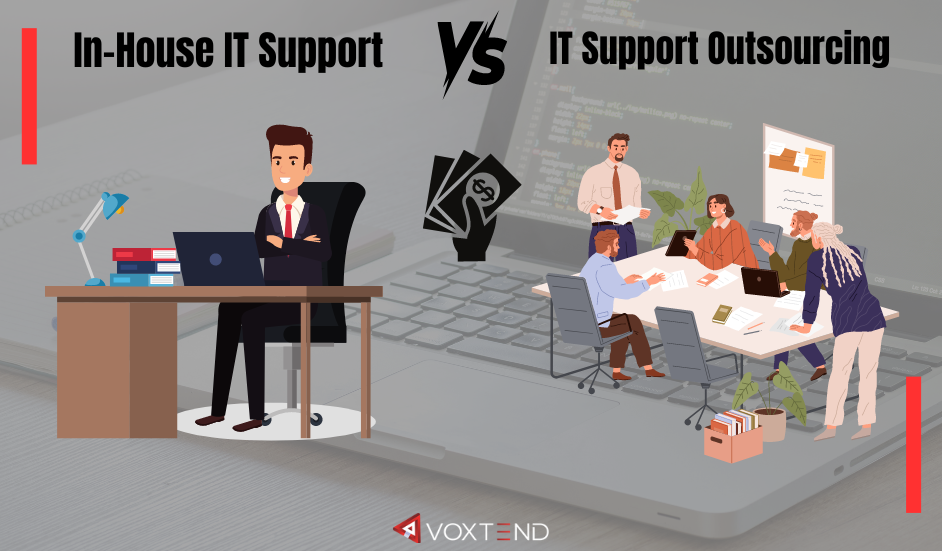
One of the primary advantages of hiring a Data Entry Virtual Assistant is cost efficiency. Employing a full-time, in-house data entry specialist involves expenses beyond just the salary. These include benefits, office space, equipment, and training costs. In contrast, a virtual assistant typically works remotely, eliminating many of these overhead costs. You pay only for the hours worked or tasks completed, allowing for a more flexible and budget-friendly approach to managing data entry tasks.

2. Access to Global Talent Pool

When hiring a Data Entry VA, you are not limited by geographical boundaries. This opens up a vast talent pool from around the world, enabling you to find highly skilled professionals who meet your specific requirements. Whether you need someone proficient in a particular software or with expertise in a specific industry, the global marketplace offers a diverse range of candidates to choose from.

3. Increased Productivity

Data entry can be a time-consuming task that diverts attention from core business activities. By delegating data entry tasks to a virtual assistant, you free up valuable time for yourself and your in-house team to focus on more strategic and revenue-generating activities. This can lead to a significant boost in overall productivity and efficiency within your organization.

4. Scalability and Flexibility

Business needs can fluctuate, and so can the volume of data entry work. Hiring a Data Entry VA provides the flexibility to scale your workforce up or down based on demand. Whether you need extra help during peak seasons or want to reduce hours during slower periods, a virtual assistant offers the adaptability to match your business needs without the commitment of a permanent employee.

5.A Sharper Focus on Fundamental Business Operations

Professional Data Entry VAs are often specialists in their field, bringing a high level of accuracy and attention to detail to their work. They are trained to handle large volumes of data efficiently while minimizing errors. This can significantly improve the quality of your data, which is crucial for informed decision-making and maintaining the integrity of your business operations.

6. Better Quality and Precision.

Outsourcing data entry tasks to a virtual assistant allows your in-house team to concentrate on core business functions that directly impact growth and profitability. By reducing the administrative burden, your team can devote more time and energy to innovation, customer service, and other critical areas that drive business success.

7. Round-the-Clock Operations

Hiring a Data Entry VA from different time zones can enable your business to operate around the clock. This is particularly beneficial for businesses that serve global markets or have operations in multiple regions. With virtual assistants working in different time zones, data entry tasks can be completed outside regular business hours, ensuring that your business never experiences downtime.

8. Access to Latest Technology and Tools

Many Data Entry VAs invest in the latest technology and software to stay competitive in the market. By hiring a VA, you can leverage their access to advanced tools and systems without having to invest in them yourself. This can lead to more efficient and effective data management processes, ultimately benefiting your business.

9. Reduced Turnaround Time

Data entry VAs are typically experienced professionals who can handle tasks quickly and efficiently. Their expertise allows them to complete tasks in a shorter amount of time compared to an in-house team that may have other responsibilities. This can lead to faster turnaround times for your data entry projects, enabling you to access critical information and insights more quickly.

10. Confidentiality and Data Security

Reputable Data Entry VAs understand the importance of confidentiality and data security. They are often well-versed in best practices for handling sensitive information and are committed to maintaining the privacy and security of your data. Many virtual assistants also sign non-disclosure agreements (NDAs) to provide an added layer of protection for your business.

11. Reduced Stress and Workload

Managing large volumes of data can be overwhelming and stressful. By outsourcing data entry tasks to a virtual assistant, you can reduce the workload and stress on your in-house team. This can lead to a more positive work environment and improved employee morale, which in turn can enhance overall productivity and job satisfaction.

12. Expertise and Specialized Skills

Data entry VAs often possess specialized skills and expertise that can be beneficial to your business. A virtual assistant contributes valuable skills such as proficiency in specific software, industry knowledge, and experience with specific data entry tasks. This can enhance the quality of your data entry processes and provide insights that may not be readily available within your in-house team.

13. Customized Services

Data entry VAs offer customized services tailored to your specific business needs. Whether you require ongoing support or assistance with a one-time project, a virtual assistant can provide personalized solutions that align with your objectives. This level of customization ensures that you receive the exact support you need to achieve your goals.

14. Competitive Advantage

In today’s competitive business landscape, having an edge over your competitors is crucial. By leveraging the advantages of a Data Entry VA, you can improve your operational efficiency, reduce costs, and enhance the quality of your data. This can give you a significant competitive advantage, allowing you to make better decisions, respond more quickly to market changes, and ultimately achieve greater success.

Final Thoughts

Hiring a Data Entry Virtual Assistant offers a multitude of benefits that can transform the way your business manages data. From cost savings and increased productivity to access to global talent and enhanced data accuracy, the advantages are clear. By outsourcing data entry tasks to a skilled virtual assistant, you can free up valuable time and resources to focus on what matters most – growing your business. Embrace the potential of a Data Entry VA and unlock new levels of efficiency and success for your organization.
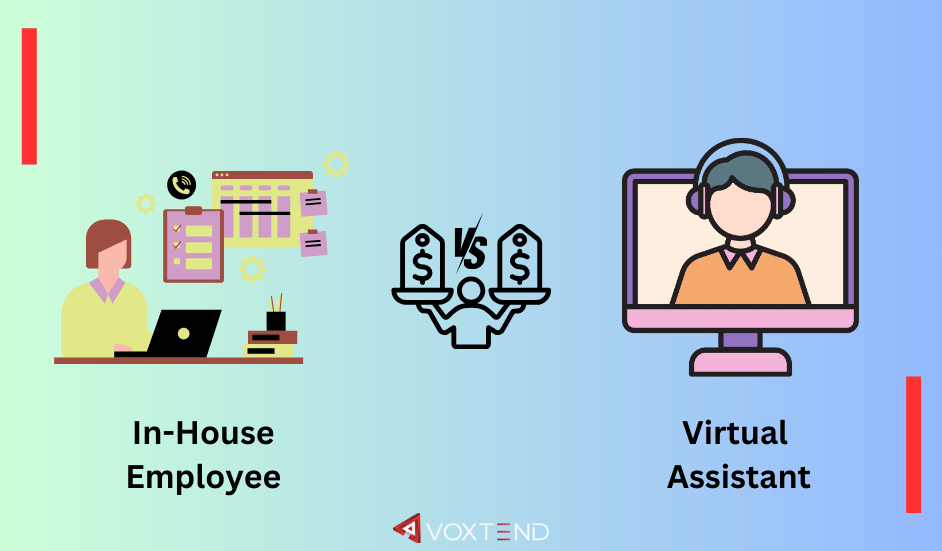
Costs Comparison: In-House Employee vs. Virtual Assistant

Businesses today have more options than ever when it comes to hiring talent. Two popular choices are hiring in-house employees and employing virtual assistants (VAs). Each option comes with its own set of costs, benefits, and challenges. In this blog, we’ll explore the cost differences between in-house employees and virtual assistants, helping you decide which is the best fit for your business needs.

What is an In-House Employee?

An in-house employee is someone who works directly for your company and is usually based in your physical office. They work set hours and are part of your company’s culture, attending meetings, participating in team activities, and working closely with other employees.

What is a Virtual Assistant?

A virtual assistant (VA) is a specialist who works remotely to help clients with administrative, technical, or creative needs. They can work from anywhere in the world, often on a freelance or contract basis. Instead of working a set number of hours, companies typically hire VAs to perform specific tasks or projects.

Cost Factors for In-House Employees

Hiring in-house employees involves several costs, some of which are direct, while others are indirect. Here’s a detailed look at the various costs associated with in-house employees:

1. Salaries and Wages

  • Base Salary: The most obvious cost is the employee’s salary. This varies widely depending on the role, experience, and location.
  • Overtime Pay: If employees work beyond their standard hours, you might need to pay overtime, which can add significantly to labor costs.

2. Benefits

  • Health Insurance: Many companies provide health insurance, which can be a substantial cost.
  • Retirement Plans: Fund contributions made to US retirement plans such as 401(k).
  • Paid Time Off: Vacation days, sick leave, and other forms of paid time off also contribute to the total expense.

3. Office Space and Utilities

  • Office Rent: Providing physical office space for employees incurs rental costs.
  • Utilities: Electricity, water, internet, and other utilities are necessary to keep the office running.

4. Equipment and Supplies

  • Office Equipment: Computers, desks, chairs, and other office furniture are essential for in-house employees.
  • Supplies: Pens, paper, and other office supplies are small but ongoing costs.

5. Training and Development

  • Training Programs: Investing in the training and development of employees to improve their skills and productivity.
  • Onboarding Costs: Time and resources spent on integrating new hires into the company.

6. Miscellaneous Costs

  • Taxes: Employer payroll taxes, including Social Security and Medicare in the U.S.
  • Insurance: Workers’ compensation and liability insurance.
  • Recruitment: Costs related to advertising job openings, recruitment agencies, and the time spent on interviewing candidates.

Cost Factors for Virtual Assistants

Employing virtual assistants can be more flexible and cost-effective compared to in-house employees. Here are the key cost factors associated with virtual assistants:

1. Hourly Rates or Project Fees

  • Hourly Rates: Many VAs charge by the hour, with rates varying based on their skills and experience.
  • Project Fees: Some VAs charge a flat fee for completing specific projects or tasks.

2. No Benefits

  • No Health Insurance: Unlike in-house employees, VAs are responsible for their own health insurance.
  • No Retirement Plans: VAs handle their own retirement savings.

3. No Office Space or Utilities

  • Remote Work: VAs work remotely, so there are no costs associated with providing office space, utilities, or office equipment.

4. Minimal Training and Development

  • On-Demand Skills: Employers typically hire VAs based on their pre-existing skills, resulting in a reduced investment in training and development.
  • Quick Onboarding: Onboarding a VA is usually faster and less resource-intensive compared to in-house employees.

5. No Miscellaneous Costs

  • No Payroll Taxes: As independent contractors, VAs manage their own taxes.
  • No Insurance Costs: Businesses are not required to provide workers’ compensation or liability insurance for VAs.
  • Reduced Recruitment Costs: Hiring VAs through platforms or agencies often involves lower recruitment costs.

Comparing the Costs: In-House Employee vs. Virtual Assistant

To make a well-informed decision, let’s compare the costs of hiring an in-house employee and a virtual assistant side by side.

Benefits Beyond Costs

While cost is a significant factor, there are other benefits to consider when deciding between an in-house employee and a virtual assistant.

Benefits of In-House Employees

  • Team Integration: By fully integrating in-house employees into the team and company culture, we can improve collaboration and loyalty.
  • Availability: Having employees on-site can be beneficial for roles that require immediate or frequent communication.
  • Control: Employers have more control over in-house employees’ work schedules and methods.

Benefits of Virtual Assistants

  • Flexibility: You can hire VAs for specific tasks or projects as needed, and they offer more flexibility in terms of working hours.
  • Scalability: It’s easier to scale up or down with VAs based on business needs without the commitment of long-term contracts.
  • Cost-Effectiveness: Virtual Assistants can be more cost-effective, especially for small businesses or startups with limited budgets.

Challenges of Each Option

Each option also comes with its challenges, which should be considered in the decision-making process.

Challenges of In-House Employees

  • Higher Costs: As detailed earlier, in-house employees generally cost more due to salaries, benefits, and overhead expenses.
  • Recruitment and Retention: Finding and keeping the right talent can be time-consuming and costly.
  • Office Space: Requires physical office space, which can be a limitation for remote or small businesses.

Challenges of Virtual Assistants

  • Communication Barriers: Working remotely can sometimes lead to communication challenges, especially across different time zones.
  • Less Control: Employers have less direct control over a VA’s work environment and schedule.
  • Security Concerns: Sharing sensitive information with VAs requires robust security measures to protect data.

Final Thoughts

Both in-house employees and virtual assistants offer unique advantages and come with their own set of costs. In-house employees may be more suitable for roles that require close collaboration, integration into company culture, and full-time commitment. On the other hand, expert virtual assistants provide flexibility, cost savings, and scalability, making them ideal for businesses looking to minimize overhead costs and adapt quickly to changing needs.

Why Microsoft Excel is Important for Business Organizations

Microsoft Excel is an incredibly powerful tool that plays a crucial role in business organizations of all sizes. Its versatility and wide range of features make it indispensable for various business functions. In this detailed blog, we’ll explore why Excel is so important for businesses, covering its capabilities in data management, data analysis, financial management, project management, reporting, automation, collaboration, and more. We will also highlight its user-friendliness and versatility across different departments.

Data Management

  • Centralized Data Storage

One of the primary functions of Excel is data storage. Businesses generate and handle vast amounts of data daily, from customer information to sales records and inventory details. Excel provides a centralized location where all this data can be stored efficiently. Spreadsheets can be organized into different sheets within a workbook, allowing businesses to keep related data together. This centralization makes it easier to access, manage, and update information as needed.

  • Data Organization

Excel offers numerous tools for organizing data. Users can sort and filter data to find specific information quickly. For instance, a sales manager can sort sales data by date, product, or salesperson to analyze performance. Filtering options allow users to view only the data that meets certain criteria, which is useful for focused analysis.

  • Customizable Templates

Excel comes with a variety of templates that businesses can use for different purposes. These templates can be customized to meet specific needs, whether it’s a budget planner, an invoice generator, or a project tracker. Customizable templates save time and ensure consistency across documents.

Data Analysis

  • Charts and Graphs

Excel’s charting capabilities are robust, enabling businesses to visualize data effectively. With just a few clicks, users can create bar charts, line graphs, pie charts, and more. These visualizations help in understanding trends and patterns in the data, making it easier to communicate findings to stakeholders.

  • Pivot Tables

They allow users to summarize large datasets and analyze them from different perspectives. For example, a pivot table can show total sales by region, product category, or time period. This flexibility in data analysis helps businesses identify key insights and make informed decisions.

  • What-If Analysis

Excel’s what-if analysis tools, such as Scenario Manager and Goal Seek, allow businesses to test different scenarios and see how changes in data affect outcomes. This is particularly useful in financial planning and forecasting, as it helps businesses prepare for various possibilities and make strategic decisions accordingly.

Financial Management

  • Budgeting

Excel is widely used for budgeting purposes. Businesses can create detailed budgets that track income and expenses, ensuring that they stay within their financial limits. Excel’s formula capabilities allow for automatic calculations, making it easy to update and adjust budgets as needed.

  • Forecasting

Forecasting is essential for planning future business activities. Excel’s forecasting functions, such as trend lines and regression analysis, help businesses predict future performance based on historical data. This information is valuable for making long-term strategic decisions and setting realistic goals.

  • Financial Reporting

Financial reports are important for every company’s financial health. Excel enables businesses to create comprehensive financial statements, including balance sheets, income statements, and cash flow statements. These reports can be customized to meet specific reporting standards and requirements.

Project Management

  • Planning and Scheduling

Project managers use Excel to plan and schedule projects. Gantt charts, which can be created in Excel, provide a visual representation of the project timeline, showing the start and end dates of tasks and their dependencies. This helps in ensuring that projects stay on track and deadlines are met.

  • Task Management

Excel is effective for managing tasks and responsibilities. By creating task lists and assigning them to team members, project managers can monitor progress and ensure accountability. Conditional formatting can be used to highlight overdue tasks or those approaching deadlines.

  • Resource Allocation

Excel helps in tracking resource availability and allocation, ensuring that resources are used efficiently. This includes monitoring the use of materials, equipment, and personnel.

Reporting

  • Detailed Reports

Excel allows businesses to create detailed reports that compile data from various sources. These reports can include tables, charts, and graphs, providing a comprehensive view of business performance. Detailed reports are essential for strategic planning and decision-making.

  • Professional Presentation

Excel’s formatting tools enable users to create professional-looking reports. Features like cell formatting, borders, and conditional formatting help in highlighting important information. This ensures that reports are not only informative but also visually appealing.

  • Dashboards

Excel dashboards provide a high-level overview of key metrics and performance indicators. By combining multiple charts and tables on a single sheet, dashboards give stakeholders a quick snapshot of business performance. This is particularly useful for executives and managers who need to make quick decisions based on real-time data.

Automation

  • Formulas and Functions

Excel’s extensive library of formulas and functions allows businesses to perform complex calculations with ease. From basic arithmetic to advanced statistical analysis, Excel can handle a wide range of mathematical operations. Automating these calculations reduces the risk of errors and saves time.

  • Macros

By recording a series of actions, users can create macros that execute these actions automatically. This is particularly useful for tasks that need to be performed regularly, such as data entry or report generation.

  • Data Import and Export

Excel supports data import and export, allowing businesses to integrate data from various sources. This includes importing data from databases, websites, and other applications. Automation tools can streamline these processes, ensuring that data is updated regularly and accurately.

Collaboration

  • Sharing and Collaboration

Excel makes it easy to share spreadsheets with team members and collaborate on them in real time. Features like comments and track changes allow multiple users to work on the same document simultaneously, providing feedback and making edits as needed. This makes the teamwork better and make sure that everyone is on the same page.

  • Version Control

Excel’s version control features help in managing changes to spreadsheets. By saving different versions of a document, users can track changes over time and revert to previous versions if necessary. This is particularly useful for collaborative projects where multiple edits are made.

  • Integration with Other Tools

Excel integrates seamlessly with other Microsoft Office tools, such as Word and PowerPoint. This allows users to embed Excel data into documents and presentations, ensuring consistency and accuracy. Integration with cloud services like OneDrive and SharePoint further enhances collaboration and data sharing.

Versatility Across Departments

  • Marketing

In marketing, Excel is used for campaign tracking, market analysis, and customer segmentation. Marketers can analyze data from various campaigns, track leads, and measure the effectiveness of marketing strategies. Excel’s data visualization tools help in presenting this information in a clear and understandable manner.

  • Sales

Sales teams use Excel for lead management, sales tracking, and performance analysis. By maintaining detailed records of sales activities, businesses can identify successful strategies and areas for improvement. Excel’s reporting capabilities help sales managers monitor team performance and set targets.

  • Human Resources

In HR, Excel is used for employee data management, payroll processing, and performance evaluation. HR professionals can track employee information, monitor attendance, and manage benefits. Excel’s analytical tools help in identifying trends in employee performance and satisfaction.

  • Operations

Operations teams use Excel for inventory management, production planning, and process optimization. By tracking inventory levels and production schedules, businesses can ensure that operations run smoothly and efficiently. Excel’s data analysis tools help in identifying areas for improvement and implementing process enhancements.

  • Finance

The finance department relies heavily on Excel for budgeting, forecasting, and financial reporting. By maintaining detailed financial records and performing complex calculations, finance professionals can ensure the company’s financial health and make informed decisions.

User-Friendliness

  • Intuitive Interface

Excel’s interface makes it accessible to users of all skills.  Even those with little technical expertise can quickly learn to navigate and utilize Excel effectively.

  • Learning Resources

There are abundant resources available for learning Excel, from online tutorials and courses to books and forums. Microsoft offers extensive documentation and support, helping users get the most out of the software. This ensures that businesses can train their employees effectively, maximizing productivity.

  • Customizable Workflows

Excel allows users to customize their workflows to suit their specific needs. From creating custom templates to automating repetitive tasks with macros, users can tailor Excel to enhance their productivity. This flexibility makes Excel a valuable tool for a wide range of business applications.

Final Thoughts

Microsoft Excel is much more than just a spreadsheet program; it’s an essential tool for business organizations. Its capabilities in data management, data analysis, financial management, project management, reporting, automation, collaboration, and versatility make it indispensable for running efficient and effective operations. Whether you are a small business owner or part of a large corporation, Excel helps streamline processes, improve productivity, and make informed decisions. Its user-friendly interface and extensive learning resources ensure that anyone can harness its power to enhance business success. We cannot overstate the importance of Excel and Excel experts in business in today’s data-driven world.

What Are The Main Qualities to Look for in a Virtual Assistant?

Many of us find ourselves dealing with multiple tasks and responsibilities on a daily baisis. Whether you’re a business owner, a busy professional, or someone managing a full household, having a virtual assistant (VA) can significantly improve your life. But with so many options out there, how do you know what to look for in a VA? Here are the main qualities to consider.

1. Communication Skills

Clear and effective communication is crucial when working with a VA. They need to understand your instructions, ask relevant questions, and keep you updated on their progress. Good communication also means being responsive. You don’t want to be left in the dark wondering if a task has been completed or not. Regular updates and clear explanations can help ensure everything runs smoothly.

Effective communication involves both listening and speaking. A VA should listen carefully to your requirements and clarify any uncertainties before starting a task. They should also be able to communicate any potential issues or delays as soon as they arise. Being able to articulate thoughts and instructions clearly helps in avoiding misunderstandings and ensures that tasks are completed to your satisfaction.

2. Reliability

A reliable VA is someone you can count on to get the job done without constant supervision. They should be dependable, meet deadlines, and follow through on commitments. Reliability builds trust and ensures that you can delegate tasks with confidence. When a VA consistently delivers quality work on time, it reduces your stress and helps you stay focused on bigger priorities.

Reliability also means being consistent in their work quality. A VA should maintain a high standard of work, ensuring that each task is completed to the best of their ability. They should also be honest about their capabilities and not overpromise on what they can deliver. If a problem arises, a reliable VA will inform you promptly and work towards finding a solution.

3. Attention to Detail

Attention to detail is essential, especially if your VA will be handling tasks that require precision, like managing your calendar, booking travel, or handling finances. Small mistakes can lead to big problems, so a VA who pays attention to the little things is invaluable. Whether it’s ensuring the accuracy of data entries or catching typos before sending out communications, meticulousness can save time and prevent errors.

An eye for detail helps in maintaining high quality in every task. For instance, when managing your calendar, a VA with strong attention to detail will ensure that all appointments are scheduled correctly, reminders are set, and there are no overlaps. Similarly, when handling financial tasks, precision is crucial to avoid costly mistakes.

4. Technical Skills

Depending on your needs, a VA should have the necessary technical skills. This could range from basic computer skills to proficiency in specific software or platforms. For instance, if you need help with social media, a VA with experience in that area will be more effective. Familiarity with tools like Microsoft Office, Google Workspace, project management software, and communication platforms is often essential.

In today’s digital age, technical skills are non-negotiable. A VA should be comfortable using various digital tools and be quick to learn new software as needed. For example, if your business uses specific project management tools like Trello or Asana, your VA should know how to navigate and utilize these platforms efficiently.

5. Organization

A well-organized VA can help keep you on track. They should be good at managing their own time and workspace, as well as organizing the tasks you assign to them. Good organizational skills can help streamline your processes and make everything run more smoothly. An organized VA can efficiently prioritize tasks, manage schedules, and handle multiple projects without letting anything fall through the cracks.

Organization also includes the ability to set up and maintain systems that enhance productivity. For example, a VA can create a filing system for your digital documents, set up task management software to keep track of ongoing projects, and develop procedures for recurring tasks. These systems help ensure that everything is in its place and easily accessible when needed.

6. Problem-Solving Abilities

Inevitably, problems and unexpected issues will arise. A good VA should be able to think on their feet and come up with solutions independently. They should also know when to seek your input or escalate an issue. Problem-solving abilities include being resourceful and adaptable, finding innovative solutions, and handling challenges with a positive attitude.

Resourcefulness is key in a VA, as they may need to find information, learn new skills, or develop creative solutions to solve problems. A resourceful VA will use available tools and resources to overcome challenges and deliver results. For example, if a scheduled meeting gets canceled, a proactive VA will find alternative times or suggest other productive uses for that time slot.

7. Discretion and Trustworthiness

Your VA will likely have access to sensitive information, so it’s important that they are trustworthy. They should respect your privacy and handle all information with discretion. Confidentiality agreements and clear communication about privacy expectations can help ensure your information is kept secure.

A trustworthy VA will handle your personal and business information with the utmost care. This includes maintaining confidentiality about your financial details, business strategies, and personal data. Ensuring that your VA understands and adheres to confidentiality agreements can help protect your information.

8. Flexibility

Flexibility is another important quality. Your needs may change, and your VA should be able to adapt. Whether it’s taking on new tasks or adjusting their work hours, a flexible VA can accommodate your changing requirements. A VA who is willing to adjust to new priorities and handle urgent tasks as they arise can be incredibly valuable.

Flexibility also means being open to feedback and willing to improve. A VA who can adapt their working style based on your preferences and feedback is likely to be more effective and meet your expectations better. This willingness to adjust and grow can enhance the working relationship and ensure that your needs are consistently met.

9. Professionalism

Professionalism encompasses a range of behaviors, including punctuality, courteousness, and maintaining a positive attitude. A professional VA will represent you and your business well, whether they’re communicating with clients, vendors, or other team members. Professional behavior also includes being respectful, reliable, and maintaining a strong work ethic.

Professionalism is reflected in how a VA manages their responsibilities. This includes being on time for meetings, delivering work on schedule, and maintaining a neat and organized virtual workspace. A professional demeanor helps build credibility and trust, both with you and with anyone else they interact with on your behalf.

10. Initiative

A VA who takes initiative is proactive rather than reactive. They don’t wait to be told what to do but look for ways to add value and anticipate your needs. This quality can significantly increase productivity and efficiency. Whether it’s suggesting improvements to existing processes or taking steps to prevent potential issues, a proactive VA can be a significant asset.

Taking initiative means a VA is always looking for ways to help you succeed. This could involve identifying areas where they can contribute more effectively, suggesting new tools or methods to enhance productivity, or finding ways to streamline your workflow. A proactive VA adds value by not just doing tasks but also thinking ahead and providing solutions.

Final Thoughts

Finding the right virtual assistant can significantly enhance your productivity and free up your time for more important tasks. By looking for these key qualities, you can ensure that you choose a VA who is not only capable but also a good fit for your specific needs. Take your time in the selection process, and don’t be afraid to ask for trials or samples of work before making a final decision. The right VA can be a valuable partner in your journey to success.

When hiring a VA, consider conducting a thorough interview process. Ask about their previous experience, request references, and perhaps start with a trial period to assess their fit. Clear communication of your expectations and regular feedback can also help build a strong, productive working relationship.

Human Virtual Assistants vs. AI Assistants: Pros & Cons

The discussion around human virtual assistants and AI assistants is increasingly significant. Both types of assistants offer distinct advantages and challenges, catering to a variety of needs and preferences. As businesses and individuals strive to optimize their workflows, understanding the pros and cons of each can guide better decision-making. This comprehensive exploration will delve into the strengths and weaknesses of human and AI assistants, helping you determine which might be the best fit for your requirements.

Human Virtual Assistants

A human virtual assistant (VA) is a person who works remotely to help with administrative, technical, or creative tasks. They bring a wealth of human skills to the table, making them valuable assets for many businesses and individuals.

Pros:

1. Emotional Intelligence and Empathy:

  • Understanding Emotions: Human VAs can recognize and respond to the emotional tone of communications, providing a level of empathy and personal connection that AI cannot replicate. This is particularly important in customer service roles where understanding and addressing customer concerns on an emotional level can significantly impact customer satisfaction.
  • Nuanced Communication: They can handle delicate matters with the appropriate level of discretion and care, making them suitable for tasks requiring a personal touch, such as client relations and conflict resolution.

2. Flexibility and Creativity:

  • Adaptability: Humans can think on their feet and adapt to new or unexpected situations quickly. This flexibility allows them to handle a wide range of tasks, from the routine to the complex.
  • Innovative Problem-Solving: Human VAs can come up with creative solutions to problems that are beyond the capability of AI, which relies on preprogrammed responses and data.

3. Cultural Understanding and Nuance:

  • Contextual Sensitivity: Human assistants can understand cultural references, idioms, and nuances in language that AI might miss. This makes them better suited for roles requiring cultural sensitivity and a deep understanding of the context.
  • Tailored Communication: They can tailor their communication style to match the cultural expectations of clients and colleagues, ensuring smoother interactions.

4. Complex Task Management:

  • Multifaceted Coordination: Human VAs can manage complex, multifaceted tasks that require advanced critical thinking and coordination. They excel in roles that involve project management, strategic planning, and other tasks that require a high degree of organization and foresight.
  • Human Judgment: They bring human judgment to the table, which is crucial for tasks that require ethical considerations or nuanced decision-making.

Cons:

1. Cost:

  • Higher Salaries: Human assistants generally command higher salaries compared to AI solutions. This can be a significant investment, particularly for small businesses or individuals operating on a tight budget.
  • Additional Expenses: There are also additional costs associated with hiring human VAs, such as benefits, training, and workspace (even if virtual).

2. Availability:

  • Limited Working Hours: Unlike AI, human VAs have limitations in terms of working hours. They require breaks, holidays, and time off, which can be a drawback for businesses needing 24/7 support.
  • Scheduling Conflicts: Coordinating schedules with a human VA can sometimes be challenging, especially if they are located in a different time zone.

3. Scalability:

  • Training and Onboarding: Scaling operations with human assistants can be time-consuming and costly. Each new hire requires training and onboarding, which can slow down the process of scaling up your operations.
  • Human Resource Management: Managing a larger team of human VAs involves increased complexity in human resource management, including performance monitoring, conflict resolution, and maintaining morale.

AI Assistants

AI assistants, such as chatbots and virtual agents powered by artificial intelligence, have become increasingly sophisticated. They offer unique benefits that stem from their technological foundation, making them valuable for a different set of tasks and applications.

Pros:

1. Cost-Efficiency:

  • Lower Operational Costs: Once developed and deployed, AI assistants can be more cost-effective than their human counterparts. They do not require salaries, benefits, or other recurring expenses, making them an attractive option for cost-conscious businesses.
  • Reduced Overhead: Maintenance and updates for AI systems are typically less expensive than ongoing salaries and benefits for human employees.

2. 24/7 Availability:

  • Continuous Operation: AI assistants can operate around the clock without the need for breaks, vacations, or time off. This makes them ideal for businesses that require constant availability and quick response times, such as customer support and IT help desks.
  • Instant Response: They can provide instant responses to inquiries, reducing wait times and improving the overall efficiency of operations.

3. Scalability:

  • Easily Scalable: AI systems can be easily scaled to handle increased workloads without the need for extensive training or additional resources. This makes them highly adaptable to fluctuating demands.
  • Multiple Instances: Multiple AI assistants can be deployed simultaneously to manage large volumes of tasks, ensuring consistent performance across different channels.

4. Consistency and Accuracy:

  • Uniform Performance: AI assistants provide consistent and precise responses, reducing the likelihood of human error. This is particularly beneficial for tasks that require a high degree of accuracy and uniformity.
  • Repetitive Task Efficiency: They excel at repetitive tasks, ensuring that processes are carried out efficiently and without variation.

Cons:

1. Lack of Emotional Intelligence:

  • No Genuine Empathy: AI lacks the ability to genuinely understand and respond to emotions. While some advanced AI can mimic empathy, it is not the same as the genuine emotional connection provided by humans.
  • Inappropriate Responses: In sensitive situations, AI might respond inappropriately because it does not fully grasp the emotional context.

2. Limited Creativity and Problem-Solving:

  • Predictable Responses: AI operates based on pre-programmed logic and data, limiting its ability to think creatively or adapt to unforeseen situations. This makes AI less suitable for tasks that require innovative problem-solving.
  • Rigid Boundaries: AI’s problem-solving abilities are confined to its programming and data inputs, which can be a significant limitation in dynamic environments.

3. Dependency on Data and Programming:

  • Quality of Data: The quality of AI systems depends on the data they have been taught on. Inadequate data might result in mistakes and inefficient operations.
  • Programming Limitations: They rely heavily on the quality and extent of their programming. Tasks outside their programmed expertise can lead to mistakes or incomplete responses.

Cultural and Contextual Limitations:

  • Understanding Nuances: AI may struggle with understanding cultural nuances, slang, and context-specific references, leading to misunderstandings or inappropriate responses.
  • Insensitive Handling: Tasks requiring deep cultural knowledge and sensitivity may be mishandled by AI, affecting the quality of interaction and user satisfaction.

Final Thoughts

Choosing between human virtual assistants and AI assistants depends largely on your specific needs, budget, and the nature of tasks you need assistance with. Each type of assistant has its own unique strengths and challenges, and understanding these can help you make a more informed decision.

For roles requiring empathy, cultural sensitivity, and creative problem-solving, human virtual assistants are often the superior choice. Their ability to connect on a personal level, adapt to new situations, and provide customized solutions makes them invaluable for tasks that demand a human touch.

Conversely, for tasks that benefit from consistency, scalability, and cost-effectiveness, AI assistants are increasingly becoming the go-to option. Their ability to operate around the clock, handle large volumes of tasks efficiently, and provide uniform responses makes them ideal for many routine and repetitive tasks.

As technology continues to advance, the capabilities of AI assistants will only improve, narrowing the gap between humans and machines. However, the unique qualities of human interaction—empathy, creativity, and cultural understanding—will always hold significant value. Balancing these strengths will be key to optimizing productivity and satisfaction in various aspects of work and life.

The Importance of Using Excel in Data Analytics

Data is everywhere. Businesses, schools, and even individuals use data to make decisions. But how do we make sense of all this data? One powerful tool that many people use is Microsoft Excel. Even though there are many advanced data analysis tools available, Excel remains one of the most popular and useful tools. In this blog, we will explore why Excel is essential for data analytics, highlighting its capabilities, ease of use, and versatility.

1. Easy to Use and Accessible

One of the biggest reasons people love Excel is because it’s simple to use. You don’t need to be a excel expert to start using Excel. Its interface is friendly and straightforward, which makes it easy for beginners to enter and analyze data. Many people already know how to use Excel because it’s been around for so long. This familiarity means that new users can learn quickly without needing lots of training.

Excel is also very accessible. You can use Excel on various platforms such as Windows, Mac, and even on smartphones and tablets. This means you can work on your data from almost anywhere, whether you’re in the office, at home, or on the go.

2. Powerful Tools for Data Analysis

Excel is packed with powerful tools that make it a favorite for data analysts:

  • Pivot Tables: Pivot Tables: One of Excel’s most useful features is pivot tables. . They let you quickly summarize large amounts of data, making it easier to see trends and patterns. With just a few clicks, you can transform complex data into easy-to-understand summaries.
  • Formulas and Functions: Excel has many built-in formulas and functions that help you perform calculations, manipulate data, and analyze information. Functions like SUM, AVERAGE, VLOOKUP, and IF allow you to process data efficiently and accurately.
  • Data Visualization: Excel provides excellent tools for creating charts and graphs. Visualizing data helps you understand it better and communicate your findings to others. Excel offers various chart types, such as bar charts, line graphs, pie charts, and scatter plots, so you can choose the best way to present your data.

3. Versatile and Flexible

Excel is incredibly versatile. It can handle different types of data, whether it’s financial information, sales reports, scientific data, or personal records. This flexibility makes Excel suitable for various fields and purposes. You can import data from different sources, such as databases, websites, and other spreadsheets, making it a central hub for all your data needs.

4. Cleaning and Preparing Data

Before you can analyze data, you often need to clean and prepare it. Excel offers many tools to help with this process:

  • Text Functions: Functions like TRIM, CLEAN, LEFT, RIGHT, and MID help you clean up and manipulate text data. This is useful for fixing errors and standardizing data entries.
  • Find and Replace: This feature allows you to quickly correct mistakes and ensure consistency in your data.
  • Data Validation: Data validation tools help you ensure that the data entered into your spreadsheet meets specific criteria, reducing errors and inconsistencies.

5. Automating Tasks with Macros and VBA

If you have repetitive tasks, Excel can save you time through automation. You can use Macros to record a sequence of actions and then play them back to automate those tasks. For example, you can use Macros to format data, create reports, or perform complex calculations. For more advanced automation, you can use Visual Basic for Applications (VBA) to write custom scripts, further enhancing productivity and efficiency.

6. Collaboration and Sharing

Excel makes it easy to collaborate with others. Multiple users can work on the same spreadsheet simultaneously, and changes can be tracked and reviewed. This is especially helpful for groups that collaborate on projects. Excel Online, the cloud-based version of Excel, allows for real-time collaboration, meaning team members can work together seamlessly from different locations.

Excel also integrates well with other Microsoft Office tools, like Word and PowerPoint. This makes it easy to incorporate data and charts into reports and presentations, ensuring that your data analysis can be shared and communicated effectively.

7. Integration with Other Tools

Excel’s ability to integrate with other tools and platforms enhances its utility in data analytics. It can connect to databases, import data from SQL servers, and work with other data visualization tools like Power BI and Tableau. This integration ensures that Excel can serve as a central hub for data analysis, even when using other specialized software.

8. Cost-Effective Solution

Compared to many advanced data analytics tools, Excel is cost-effective. It is often included as part of the Microsoft Office suite, which is widely used in businesses and educational institutions. This makes Excel an accessible option for many organizations, especially small and medium-sized enterprises (SMEs) that may not have the budget for more expensive analytics software.

Examples of Excel in Action

To better understand why Excel is so important in data analytics, let’s look at some real-world examples.

Business Analysis

In a business setting, Excel is used to track sales, manage budgets, and analyze financial data. For instance, a sales manager can use Excel to create a sales dashboard that tracks sales performance over time. By using Pivot Tables and charts, the manager can quickly see which products are selling well and which ones need more attention. This helps in making informed decisions to boost sales and improve overall business performance.

Scientific Research

In scientific research, Excel is used to organize and analyze experimental data. Researchers can input their data into Excel, use formulas to calculate averages and standard deviations, and create graphs to visualize their findings. This helps in interpreting the results and communicating them to others.

Education

Teachers and students use Excel to organize and analyze educational data. For example, a teacher can use Excel to keep track of students’ grades and attendance. By using formulas and charts, the teacher can identify trends and patterns, such as which students might need extra help or which subjects are most challenging for the class.

Personal Finance

Individuals use Excel to manage their personal finances. By creating a budget spreadsheet, you can track your income and expenses, set savings goals, and monitor your financial health over time. Excel’s simple formulas and charts make it easy to see where your money is going and how you can improve your financial situation.

The Future of Excel in Data Analytics

As technology advances, Excel continues to evolve, incorporating new features and capabilities. Microsoft regularly updates Excel, adding tools that enhance its data analysis power. Features like Power Query and Power Pivot allow for even more advanced data manipulation and analysis. These tools enable users to handle larger datasets and perform more complex analyses without needing to switch to different software.

Excel is also becoming more integrated with cloud services. Excel Online and integration with Microsoft’s cloud platform, Azure, provide opportunities for real-time collaboration and access to powerful cloud-based computing resources. This makes it easier for teams to work together on data analysis projects, regardless of their physical location.

Final Thoughts

Microsoft Excel remains an essential tool in the field of data analytics. Its user-friendly interface, powerful data analysis tools, versatility, and cost-effectiveness make it indispensable for data analysts. Excel’s capabilities in data cleaning, preparation, automation, collaboration, and integration with other tools ensure that it continues to be a valuable asset.

While newer and more advanced analytics tools continue to emerge, the importance of Excel in data analytics is undeniable. Its enduring presence and continual evolution ensure that it will remain a vital tool for analysts for years to come. Embracing Excel for data analytics requires understanding its strengths and leveraging its features to maximize efficiency and accuracy.

In summary, Excel’s importance in data analytics lies in its ability to make complex data analysis accessible to everyone. Whether you are a business professional, a researcher, a teacher, or an individual managing personal finances, Excel provides the tools you need to analyze data effectively and make informed decisions. As we move forward in the data-driven world, Excel will undoubtedly continue to play a crucial role in data analytics, helping us turn raw data into meaningful insights.

Why Do Companies Choose to Outsource Work?

In today’s fast-paced and globalized business environment, outsourcing has become a prevalent strategy for companies seeking to enhance efficiency, reduce costs, and gain competitive advantages. As the global economy continues to evolve, the importance of outsourcing as a strategic business practice is likely to grow. Companies that effectively harness the benefits of outsourcing can position themselves for sustained growth and competitiveness, navigating the complexities of the modern marketplace with agility and resilience. This article explores the reasons why companies choose to outsource work, examining the benefits and strategic motivations behind this significant business practice.

Cost Reduction

One of the primary reasons companies choose to outsource work is cost reduction. By outsourcing, companies can advantage of lower labor costs in countries with cheaper workforces. This is particularly relevant for labor-intensive tasks such as manufacturing, customer service, and IT support. The disparity in wages between developed and developing countries enables companies to maintain or even improve service quality while significantly reducing expenses.

For example, an American company might outsource its customer service operations to India or the Philippines, where the cost of labor is considerably lower. This allows the company to allocate financial resources more efficiently, investing savings into other critical areas such as research and development or marketing. Additionally, outsourcing eliminates the need for substantial investments in infrastructure and technology, as the outsourced vendor typically provides these resources.

Access to Specialized Expertise

Outsourcing also grants companies access to specialized expertise that may not be available internally. Many outsourcing providers have developed niche competencies in specific areas, offering advanced skills and technologies that can enhance a company’s operations. For instance, an organization looking to develop a sophisticated software application may lack the in-house expertise to do so. By outsourcing to a firm that specializes in software development, the company can leverage the provider’s advanced technical skills and experience, ensuring a high-quality product.

Technical fields are not the only areas where companies can access specialized knowledge. Companies can also outsource functions such as legal services, human resources, and financial management to firms that possess deep industry knowledge and best practices. This enables the outsourcing company to benefit from cutting-edge expertise without the need to hire and train new employees, which can be time-consuming and costly.

Focus on Core Business Activities

Outsourcing allows companies to concentrate on their core business activities, thereby enhancing overall efficiency and effectiveness. By delegating non-core functions to external providers, businesses can free up internal resources and focus on what they do best. For example, a company whose primary strength lies in product design might choose to outsource its manufacturing operations. This allows the company to dedicate more time and resources to innovation and design, potentially leading to the creation of superior products that drive competitive advantage.

Focusing on core competencies also facilitates better strategic planning and execution. Senior management can allocate more attention to critical business areas such as market expansion, customer relationship management, and strategic partnerships. Outsourcing non-essential tasks ensures that these vital aspects receive the necessary focus and investment, ultimately contributing to the company’s long-term success.

Increased Flexibility and Scalability

Outsourcing offers companies increased flexibility and scalability, enabling them to respond more effectively to changing market conditions and demands. This is particularly important in industries characterized by rapid technological advancements and fluctuating consumer preferences. By outsourcing, companies can scale operations up or down quickly without the constraints associated with hiring or laying off employees.

For instance, a company experiencing seasonal demand fluctuations can outsource its customer service operations to a provider capable of adjusting staffing levels in response to peak periods. This flexibility allows the company to maintain high service standards without incurring the fixed costs associated with maintaining a large, permanent workforce. Additionally, outsourcing can facilitate faster time-to-market for new products and services, as external providers often have the resources and expertise to expedite development processes.

Risk Management

Outsourcing can also be an effective risk management strategy. By distributing certain business functions to external providers, companies can mitigate risks associated with operational disruptions, such as those caused by natural disasters, political instability, or economic downturns. For example, a company that outsources its IT operations to a provider with data centers in multiple geographic locations can ensure business continuity even if one data center experiences an outage.

Furthermore, outsourcing can help companies manage compliance and regulatory risks. External providers often have a thorough understanding of industry regulations and standards, ensuring that outsourced functions are performed in compliance with legal requirements. This is particularly important in highly regulated industries such as healthcare, finance, and pharmaceuticals, where non-compliance can result in severe penalties and reputational damage.

Access to Advanced Technology

Outsourcing enables companies to access advanced technology and innovative solutions without the need for significant capital investment. Many outsourcing providers invest heavily in state-of-the-art technology to stay competitive and offer their clients the best possible services. By outsourcing, companies can leverage these technological advancements to improve their operations and gain a competitive edge.

For instance, a company might outsource its data analytics functions to a provider with advanced analytics platforms and tools. This enables the company to gain valuable insights from its data, driving better decision-making and strategic planning. Similarly, outsourcing IT services can provide companies with access to cutting-edge cybersecurity measures, ensuring the protection of sensitive information and reducing the risk of data breaches.

Improved Service Quality

Outsourcing can lead to improved service quality and performance outcomes. External providers are often highly motivated to deliver exceptional service to retain their clients and secure long-term contracts. This can result in higher service levels, faster response times, and better overall performance compared to in-house operations.

Additionally, outsourcing providers typically implement rigorous quality control measures and performance metrics to ensure service excellence. These measures can lead to continuous improvement and innovation, benefiting the outsourcing company. For example, a business that outsources its customer service operations may experience higher customer satisfaction levels due to the provider’s focus on quality and efficiency.

 Global Market Expansion

Outsourcing can facilitate global market expansion by providing companies with the resources and capabilities needed to enter and operate in new markets. This is particularly important for businesses looking to establish a presence in regions with different languages, cultures, and regulatory environments. By partnering with local outsourcing providers, companies can navigate these complexities more effectively and tap into new customer bases.

For instance, a company seeking to expand its operations into Asia might outsource its market research and localization efforts to a provider with extensive knowledge of the region. This enables the company to gain insights into local consumer preferences, regulatory requirements, and competitive dynamics, facilitating smoother market entry and reducing the risk of costly missteps.

Enhanced Competitive Advantage

Outsourcing can enhance a company’s competitive advantage by enabling it to focus on strategic initiatives and differentiate itself from competitors. By leveraging the expertise, technology, and resources of outsourcing providers, companies can develop innovative products and services, improve operational efficiency, and deliver superior customer experiences.

For example, a company that outsources its supply chain management to a provider with advanced logistics capabilities can streamline its operations and reduce lead times. This can result in faster delivery times and higher customer satisfaction, providing a competitive edge in the market. Similarly, outsourcing research and development functions can accelerate the innovation process, allowing companies to bring new products to market more quickly and stay ahead of competitors.

Strategic Partnerships and Collaboration

Outsourcing often leads to the formation of strategic partnerships and collaborative relationships between companies and their providers. These partnerships can drive mutual growth and innovation, benefiting both parties. For instance, an outsourcing provider might share industry insights, best practices, and new technologies with its clients, helping them stay competitive and adapt to changing market conditions.

Moreover, strategic partnerships can result in co-development initiatives, where both the company and the provider work together to create new products, services, or solutions. This collaborative approach can lead to faster innovation, improved service delivery, and enhanced value for customers.

Final Thoughts

In conclusion, companies choose to outsource work for a multitude of reasons, ranging from cost reduction and access to specialized expertise to improved service quality and enhanced competitive advantage. Outsourcing allows businesses to focus on their core activities, increase flexibility and scalability, manage risks, and leverage advanced technology. By forming strategic partnerships and collaborating with outsourcing providers, companies can drive innovation and achieve long-term success in today’s dynamic business environment.

Call-To-Action

Regardless of the size of the business you represent, if you’re considering outsourcing your work to trusted experts, VoxtenD is here to help. Our suite of tech services covers all aspects of outsourcing and beyond, ensuring that your business gets the help it needs, no matter the size or needs of your business. With round-the-clock availability, VoxtenD is your partner in achieving business success. Contact us today to explore how our services can benefit your business.

Common Tech Problems and How Our Support Team Can Solve Them

Today’s technological environment heavily relies on technology for productivity, business operations, and personal connections. Having dependable technology is crucial for seamless work processes and communication. However, unforeseen technical issues can disrupt these activities, leading to frustration. Our tech support team is dedicated to resolving these issues promptly and efficiently. Let’s examine common technical challenges and how our expert team can assist in resolving them.

Common Tech Problems & Solutions

Let’s examine common technical challenges and how our expert team can assist in resolving them.

  1. Slow Internet Connection

The Problem:

A slow internet connection can be a major hindrance, affecting productivity, streaming, and even simple web browsing.

Common Causes:

  • Outdated hardware
  • Network congestion
  • ISP issues
  • Interference from other devices

Our Solution:

Our tech support experts can diagnose the issue by running a series of tests to determine whether the problem is with your hardware, network, or ISP. We can guide you through updating your router firmware, optimizing your network settings, and even liaising with your ISP if necessary. Additionally, we provide tips on positioning your router to minimize interference and advice on selecting the best internet package for your needs.


  1. Computer Running Slowly

The Problem:

When your computer starts to lag, it can make even the simplest tasks a chore.

Common Causes:

  • Too many background programs
  • Insufficient RAM
  • Malware or viruses
  • Fragmented hard drive

Our Solution:

We will perform a thorough check of your system to identify resource-heavy applications and unnecessary background processes. Our team can also assist in upgrading your hardware, running malware scans, and defragmenting your hard drive to ensure your computer runs smoothly. We can also provide personalized recommendations on system upgrades that can enhance your computer’s performance, such as increasing RAM or switching to a solid-state drive (SSD).


  1. Software Crashes

The Problem:

Data loss and workflow disruption are two consequences of frequent program crashes.

Common Causes:

  • Incompatibility with the operating system
  • Corrupt files
  • Insufficient system resources
  • Conflicts with other software

Our Solution:

Our team can update or reinstall the software, check for and resolve any conflicts, and ensure your system meets the software’s requirements. We also provide guidance on regular software maintenance to prevent future crashes. In addition, we can help you manage software licenses and keep all your applications updated to the latest versions to avoid compatibility issues.

  1. Printer Issues


The Problem:

Printers can be notoriously finicky, leading to wasted time and resources.

Common Causes:

  • Driver problems
  • Connectivity issues
  • Paper jams
  • Low ink or toner

Our Solution:

Our technical support team can troubleshoot driver and connectivity issues, clear paper jams, and provide instructions for regular printer maintenance. We can also help you set up wireless printing for added convenience. Furthermore, we offer advice on selecting the best printer for your needs, considering factors like print volume, quality, and cost of consumables.


  1. Email Problems

The Problem:

Email issues can disrupt communication and lead to missed messages.

Common Causes:

  • Incorrect email settings
  • Full mailbox
  • Spam filters blocking legitimate emails
  • Synchronization issues

Our Solution:

We can help configure your email settings correctly, clear out your mailbox, adjust spam filter settings, and ensure proper synchronization across all your devices. Our team also provides tips on email management to keep your inbox organized. Additionally, we can assist with setting up advanced email features, such as filters, rules, and automatic replies, to enhance your email experience.


  1. Data Loss

The Problem:

Losing important data can be devastating, whether it’s personal files or critical business information.

Common Causes:

  • Accidental deletion
  • Hard drive failure
  • Virus attacks
  • Software corruption

Our Solution:

Our experts can assist with data recovery using specialized software and techniques. We also advise on regular backups and provide solutions for secure data storage to prevent future loss. We can help you set up automated backup systems and recommend reliable cloud storage options to ensure your data is always safe and accessible.


  1. Network Security Issues

The Problem:

Security flaws can compromise sensitive data and interfere with operations.

Common Causes:

  • Weak passwords
  • Outdated security software
  • Unsecured networks
  • Phishing attacks

Our Solution:

Our support team can conduct a security audit, update your security software, configure strong passwords, and set up secure networks. We also provide education on recognizing and avoiding phishing scams. Additionally, we offer advice on implementing multi-factor authentication (MFA) and other advanced security measures to protect your network from evolving threats.


  1. Hardware Failures

The Problem:

Hardware failures can lead to complete system shutdowns, resulting in significant downtime and data loss.

Common Causes:

  • Overheating
  • Wear and tear
  • Power surges
  • Manufacturing defects

Our Solution:

Our team can diagnose hardware issues and recommend repairs or replacements as needed. We also provide guidance on proper hardware maintenance, such as cleaning dust from components and using surge protectors. In some cases, we can help you set up redundant systems to ensure continuity in the event of hardware failure.


  1. Operating System Errors

The Problem:

Errors within your operating system can cause crashes, slow performance, and other issues.

Common Causes:

  • Corrupted system files
  • Incompatible updates
  • Registry errors
  • Malware infections

Our Solution:

We can troubleshoot and fix operating system errors, ensuring your system files are intact and your OS is up to date. Our team can also help you perform clean installations and provide tips on maintaining your OS for optimal performance. Additionally, we offer support for transitioning to new operating systems, ensuring a smooth upgrade process.


  1. Remote Work Challenges

The Problem:

Working remotely can introduce a host of new technical challenges, from connectivity issues to collaboration difficulties.

Common Causes:

  • Unreliable internet connection
  • Inadequate remote access tools
  • Lack of cybersecurity measures
  • Difficulty in accessing shared resources

Our Solution:

We provide comprehensive support for remote work setups, including VPN configuration, secure access to company resources, and collaboration tool recommendations. Our tech support team ensures your remote work environment is efficient and secure, enabling you to stay productive no matter where you are. We also offer training on best practices for remote work to help you navigate common challenges.


  1. Mobile Device Issues

The Problem:

Problems with smartphones and tablets can disrupt communication and access to essential apps.

Common Causes:

  • Software bugs
  • Connectivity issues
  • Battery problems
  • Physical damage

Our Solution:

Our support team can troubleshoot mobile device issues, including software updates, connectivity fixes, and battery optimization. We also provide advice on protecting your device from physical damage and keeping your data secure. Additionally, we can assist with setting up and syncing your mobile devices with other systems and applications for seamless integration.


  1. Cloud Service Problems

The Problem:

Issues with cloud services can affect data access, collaboration, and storage.

Common Causes:

  • Connectivity issues
  • Service outages
  • Sync errors
  • Misconfigured settings

Our Solution:

We offer support for resolving cloud service issues, including troubleshooting connectivity problems, ensuring proper synchronization, and configuring settings correctly. Our team can also help you choose the right cloud services for your needs and optimize their performance. We provide guidance on using cloud services effectively for collaboration and data management.


Why Choose Our Support Team?

Our support team is dedicated to providing quick, effective solutions to your tech problems. With a blend of technical expertise and excellent customer service, we ensure minimal downtime and maximum satisfaction. Here’s what sets us apart:

  • 24/7 Availability: We are always here when you need us, no matter the time of day. Our round-the-clock service ensures that you never have to wait long for assistance.
  • Experienced Technicians: Our team comprises highly skilled professionals with years of experience in troubleshooting and resolving tech issues. We stay updated with the latest technology trends and solutions to provide you with the best service.
  • Personalized Support: We understand that each problem is unique, and we tailor our solutions to meet your specific needs. Our approach ensures that you receive the most effective and relevant assistance.
  • Proactive Maintenance: Beyond solving immediate issues, we offer proactive maintenance tips to keep your technology running smoothly. We help you implement preventive measures to avoid future problems and maintain optimal performance.
  • Comprehensive Solutions: From hardware and software issues to network security and cloud services, we cover a wide range of tech problems. Our comprehensive support ensures that all your technology needs are met.
  • Customer education: Operations can interfere with and sensitive data compromised by security breaches.. Our team provides training and tips to help you manage your technology better and prevent issues on your own.


Final Thoughts

Technology is an integral part of our lives, and while it can greatly enhance productivity and connectivity, it can also present various challenges. From slow internet connections to data loss and security breaches, tech problems can disrupt your daily routine and cause significant stress. However, with the right support team, these issues can be quickly and effectively resolved. Our tech support team is committed to providing top-notch technical assistance, ensuring that your technology works seamlessly. With our extensive experience, personalized approach, and proactive maintenance strategies, we are equipped to handle any tech problem you encounter. Whether you’re dealing with a slow computer, software crashes, or network security issues, we have the expertise to get you back on track.

Don’t let tech problems slow you down. Reach out to our support team today and experience hassle-free technology. With our help, you can focus on what truly matters, knowing that your tech is in good hands.

Data Security and Compliance: What Your Data Entry VA Should Offer

Today, data is one of the most valuable assets for businesses. From customer details to financial records, companies depend on data to make decisions, improve operations, and enhance customer experiences. However, as the amount and complexity of data grow, keeping it secure and compliant with regulations becomes more difficult. This is where a Data Entry Virtual Assistant (VA) can help. In this guide, we’ll explain why data security and compliance are important for businesses and what your Data Entry VA should do to protect your valuable data.

Understanding Data Security and Compliance

Data security refers to the protection of data from unauthorized access, use, or disclosure. It encompasses a range of measures and protocols designed to prevent data breaches and ensure the confidentiality, integrity, and availability of data. Compliance, on the other hand, involves adhering to relevant regulations, laws, and industry standards governing the handling, storage, and transmission of data.

For businesses operating in highly regulated industries such as healthcare, finance, or e-commerce, compliance with data protection regulations is not optional—it’s mandatory. Regulations such as the General Data Protection Regulation (GDPR), California Consumer Privacy Act (CCPA), and Health Insurance Portability and Accountability Act (HIPAA) impose strict requirements on organizations regarding the collection, processing, and storage of personal and sensitive data. Non-compliance with these regulations can result in severe consequences, including hefty fines, legal action, and reputational damage.


Essential Data Security Measures

When it comes to data security, there are several key measures that organizations must implement to protect their sensitive data:

  • Access Control: Limiting access to sensitive data to authorized personnel only through user authentication mechanisms such as passwords, biometrics, or multi-factor authentication.
  • Encryption: Encrypting data in transit and at rest using encryption algorithms to prevent unauthorized access and protect data confidentiality. Encryption ensures that even if data is intercepted or stolen, it remains unreadable without the decryption key.
  • Regular Data Backups: Implementing regular backups of critical data to ensure data availability and recoverability in the event of data loss or corruption. Backups should be stored securely and tested regularly to ensure they can be restored effectively.
  • Secure Data Disposal: Proper disposal of obsolete or redundant data through secure data deletion methods to prevent data leakage or unauthorized access. This includes shredding physical documents and securely wiping digital storage devices before disposal.
  • Employee Training and Awareness: Providing comprehensive training and awareness programs to educate employees on data security best practices and protocols. Employees should be aware of the risks associated with mishandling data and understand their role in protecting sensitive information.


What Your Data Entry VA Should Offer?

When hiring a Data Entry VA, it’s essential to ensure that they adhere to stringent data security and compliance standards. Here’s what your Data Entry VA should offer in terms of data security and compliance:

Compliance with Data Protection Regulations: Your Data Entry expert should have a thorough understanding of relevant data protection regulations applicable to your industry and ensure compliance with all legal requirements. They should stay updated on changes to regulations and adjust their practices accordingly to ensure continued compliance.

Implementation of Security Measures: Your Data Entry VA should implement robust data security measures, including access control, encryption, data backups, and secure data disposal, to protect your sensitive data from unauthorized access or disclosure. They should have policies and procedures in place to ensure the security of data throughout its lifecycle.

Confidentiality Agreements and NDAs: Your Data Entry VA should be willing to sign confidentiality agreements and non-disclosure agreements (NDAs) to safeguard the confidentiality of your data and prevent unauthorized disclosure. These agreements should outline the responsibilities of the VA regarding the handling and protection of confidential information.

Secure Data Handling Procedures: Your Data Entry VA should follow secure data handling procedures, including secure transmission and storage practices, to prevent data breaches and ensure data integrity. They should use encrypted communication channels and secure storage systems to protect data from interception or unauthorized access.

Regular Security Audits and Compliance Checks: Your Data Entry VA should conduct regular security audits and compliance checks to identify and address any vulnerabilities or compliance issues proactively. They should perform risk assessments to evaluate the effectiveness of existing security measures and make recommendations for improvement where necessary.


Benefits of Hiring a Data Entry VA with Strong Security Measures

Partnering with a Data Entry VA that prioritizes data security and compliance offers several benefits for your business:

  • Enhanced Data Security: By entrusting your data entry tasks to a VA with strong security measures in place, you can minimize the risk of data breaches and unauthorized access to sensitive information.
  • Compliance Assurance: A Data Entry VA that adheres to relevant data protection regulations ensures that your business remains compliant with legal requirements, reducing the risk of fines, legal action, and reputational damage.
  • Increased Trust and Confidence: Demonstrating a commitment to data security and compliance instills trust and confidence among clients, customers, and stakeholders, enhancing your business’s reputation and credibility.
  • Focus on Core Activities: Outsourcing data entry tasks to a reliable VA allows you to focus on core business activities and strategic initiatives, knowing that your data is in safe hands.

Choosing the Right Data Entry VA:

When hiring a data entry virtual assistant for your business, consider the following factors:

  • Experience and Expertise: Look for a VA with a proven track record and expertise in data entry and data security.
  • Compliance Knowledge: Ensure that the VA has a thorough understanding of relevant data protection regulations and compliance requirements for your industry.
  • Security Measures: Evaluate the VA’s security measures and protocols to ensure they align with your organization’s data security standards and policies.
  • References and Testimonials: Request references and client testimonials to gauge the VA’s reliability, professionalism, and trustworthiness.


Final Thoughts

In conclusion, ensuring robust data security and compliance measures is paramount for any organization entrusting sensitive information to a virtual assistant (VA). As the digital landscape continues to evolve, the need for stringent data protection practices becomes increasingly urgent. A proficient data entry VA should offer not only efficient data handling but also a comprehensive understanding of security protocols and compliance standards. By prioritizing these aspects, businesses can mitigate risks, build trust with clients, and uphold the integrity of their data. Investing in a data entry VA equipped with the necessary skills and knowledge in data security and compliance is not just a choice but a strategic imperative in today’s interconnected world.

The Hidden Costs of In-House IT Support vs. Outsourcing

An organization’s IT infrastructure is its foundation. Whether managing day-to-day operations or driving innovation, reliable IT support is crucial. However, a significant dilemma often arises when businesses decide between maintaining an in-house IT team or outsourcing their IT needs. While both options have their merits, they also come with hidden costs that can impact a company’s bottom line. This blog will explore the intricacies of in-house IT support versus outsourcing, shedding light on the often-overlooked expenses associated with each approach.


In-House IT Support

In-house IT support has been the traditional choice for many businesses, offering proximity, control, and a deep understanding of company systems. However, this approach also comes with its share of challenges and hidden costs that can impact the bottom line.

  • Proximity and Accessibility

One of the most significant advantages of in-house IT support is its proximity and accessibility. Having an IT team on-site means immediate assistance whenever technical issues arise. Whether it’s troubleshooting software glitches, setting up new hardware, or addressing network problems, having IT professionals readily available can minimize downtime and keep operations running smoothly. Employees can simply walk down the hall or pick up the phone to get the help they need, leading to faster problem resolution and increased productivity.


  • Familiarity with Company Systems

Another benefit of in-house IT support is its familiarity with company systems. Internal IT staff are intimately acquainted with the organization’s infrastructure, applications, and workflows. They understand the unique requirements and challenges of the business, allowing them to tailor solutions that align with company goals and objectives. This level of familiarity fosters a sense of ownership and commitment among IT personnel, leading to proactive maintenance and continuous improvement of IT systems.


  • Control and Customization

In-house IT support also provides greater control and customization over technology solutions. Businesses have the flexibility to design and implement systems according to their specific needs and preferences. Whether it’s developing custom software applications, configuring network settings, or implementing security protocols, in-house IT teams have the autonomy to make decisions that best suit the organization. This level of control can be invaluable in ensuring that IT solutions are aligned with business objectives and regulatory requirements.


  • Burden of Recruitment and Training

Despite its advantages, maintaining an in-house IT team comes with its own set of challenges. One of the most significant is the burden of recruitment and training. Finding skilled IT professionals who possess the right combination of technical expertise and interpersonal skills can be a daunting task. Moreover, the technology landscape is constantly evolving, requiring ongoing training and development to stay abreast of the latest trends and best practices. Investing in recruitment and training programs can be costly and time-consuming, diverting resources away from other areas of the business.


  • Overhead Costs and Infrastructure Maintenance

In addition to recruitment and training expenses, in-house IT support also incurs overhead costs and infrastructure maintenance. Salaries, benefits, and office space for IT personnel contribute to the overall operational expenses of the business. Moreover, maintaining and upgrading IT infrastructure, including servers, networking equipment, and software licenses, requires a significant financial investment. Regular maintenance tasks such as software updates, security patches, and hardware repairs can also consume valuable time and resources.


Outsourced IT Support

Outsourcing IT support has become increasingly popular among businesses looking to leverage specialized skills, reduce costs, and improve scalability. While outsourcing offers several advantages, it also comes with its own set of challenges and considerations that must be carefully weighed.

  • Access to Specialized Skills and Expertise

One of the primary advantages of outsourcing IT support is gaining access to specialized skills and expertise. External IT service providers often employ a team of professionals with diverse backgrounds and technical competencies. Whether it’s cybersecurity, cloud computing, data analytics, or software development, businesses can tap into a wealth of knowledge and experience that may not be available in-house. This access to specialized skills allows businesses to tackle complex IT challenges more effectively and stay competitive in a rapidly evolving digital landscape.


  • Cost Efficiency and Predictability

Outsourcing IT support can also lead to cost efficiency and predictability. Service contracts with external providers typically offer fixed monthly or annual fees, allowing businesses to budget more accurately and avoid unexpected expenses. Moreover, outsourcing eliminates the need for upfront investments in infrastructure, software licenses, and personnel, reducing capital expenditure and freeing up financial resources for other strategic initiatives. By leveraging economies of scale and sharing resources across multiple clients, external providers can offer cost-effective solutions without compromising on quality or service levels.


  • Flexibility and Scalability

Another advantage of outsourcing IT support is the flexibility and scalability it provides. External providers can quickly adapt to changing business needs and scale their services up or down as required. Whether adding new users, expanding into new markets, or integrating emerging technologies, businesses can rely on external providers to provide the necessary support and expertise. This flexibility allows businesses to respond more effectively to market dynamics and seize new opportunities without being constrained by internal resources or capabilities.


  • Dependency on External Providers

However, outsourcing IT support also comes with its own challenges, chief among them being dependency on external providers. Relying on third-party vendors for critical IT functions can introduce risks related to service disruptions, data breaches, and vendor lock-in. Businesses must carefully evaluate the reliability and reputation of potential providers and establish clear service level agreements (SLAs) to ensure accountability and performance standards are met. Moreover, businesses must have contingency plans in place to mitigate the impact of any disruptions or failures in outsourced IT services.


  • Communication and Response Time

Communication and response time are also important considerations when outsourcing IT support. Unlike in-house teams that are physically present within the organization, external providers may be located in different time zones or operate on different schedules. This can lead to delays in communication and response times, particularly in urgent or time-sensitive situations. Businesses must establish clear channels of communication and escalation procedures to ensure issues are addressed promptly and effectively. Moreover, regular communication and feedback sessions with external providers can help foster collaboration and alignment with business goals and objectives.

Final Thoughts.

In conclusion, deciding between in-house IT support and outsourcing is not a one-size-fits-all proposition. It requires careful consideration of the unique needs and circumstances of each business, weighing the pros and cons of each approach against the hidden costs that may lurk beneath the surface. By taking a strategic approach to IT support and finding the right balance between in-house investment and outsourced efficiency, businesses can position themselves for success in an increasingly digital world.